How to Fix Youtube App not Launching in Samsung TV

When the YouTube app on a Samsung TV doesn’t start, users often see a blank screen or an error message. This typically occurs because the app fails to connect correctly with the server or due to outdated software on the TV. Network issues, such as incorrect DNS settings, can block the app from loading properly. 
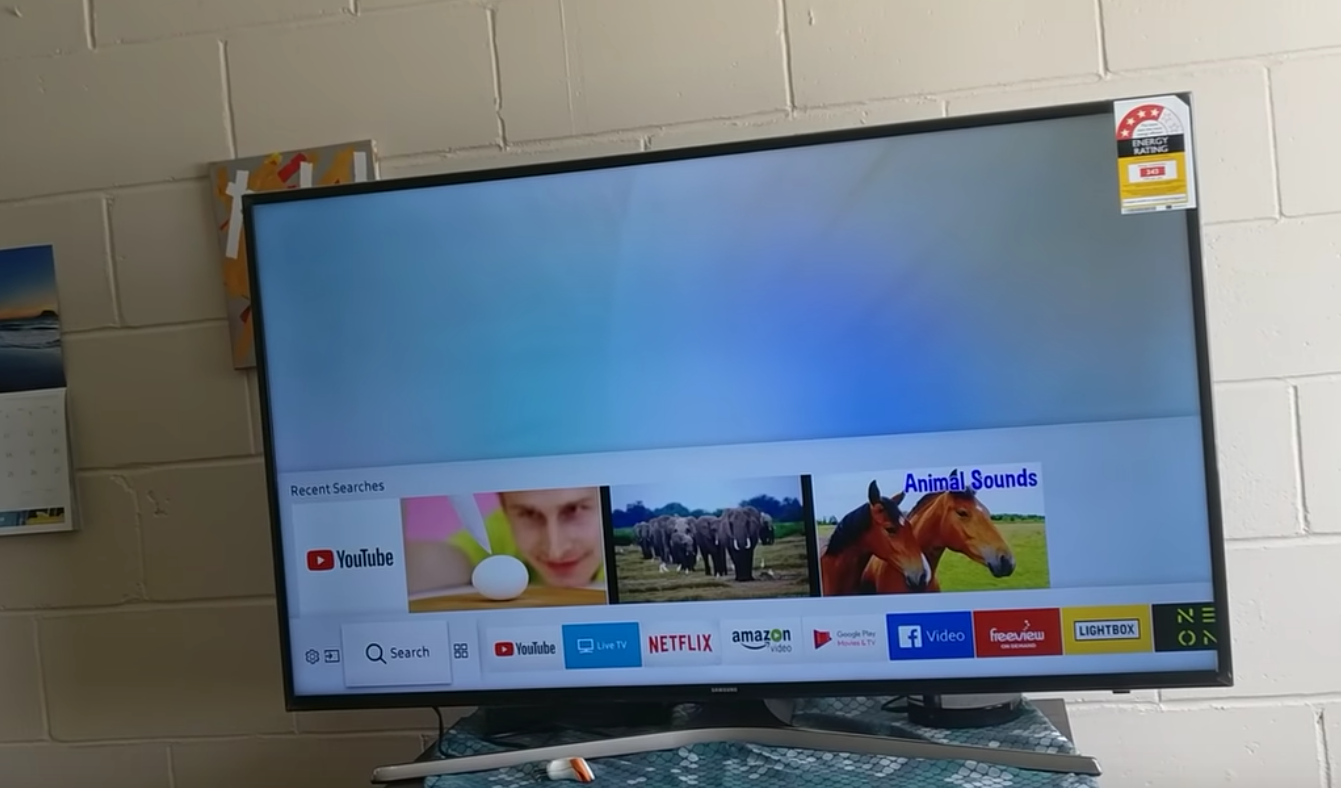
Additionally, outdated TV firmware or an outdated version of the YouTube app can lead to these problems.

Now that you understand the potential causes, let’s move on to the solutions.

1. Relaunch the App

Sometimes, reopening the app forces it to reload what it needs, fixing temporary problems that made it hang or freeze. This refresh helps the app connect to its servers and get the latest information.

  1. Use your remote to launch the YouTube App.
  2. If the app goes to the “Grey Screen,” press and hold the “back” arrow button. This will take you to the Samsung Smart HUB.
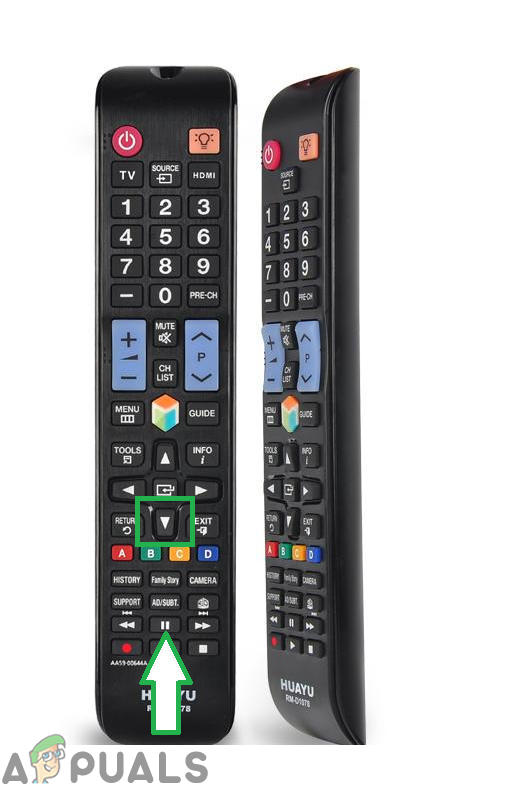
    The back button on the remote
  3. Select the YouTube app again to relaunch it.
  4. Check if the issue persists.

2. Reinitialize the Cache

Clearing the app’s cache removes temporary files that might be corrupted or causing issues. By doing this, you let the YouTube app start fresh without old, possibly damaged data, which can fix errors and boost performance.

  1. Turn on the TV and unplug it directly from the wall.
    Unplugging TV From Power
  2. Press and hold the “Power” button on the TV for at least 30 seconds.
  3. Plug the power back in and check if the issue persists.
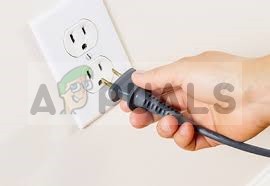
    Plugging the power back in

3: Reset TV to Default Settings

This issue can happen due to corrupted settings, software bugs, or conflicting app data. Resetting the TV to its default settings removes these problems by erasing custom configurations and app data, bringing the system back to a clean state. This can fix issues stopping apps like YouTube from working properly, giving the TV a fresh start to set up apps and settings again.

  1. Press the “Menu” button on the remote.
  2. Click on “Settings” and then select “Support”.
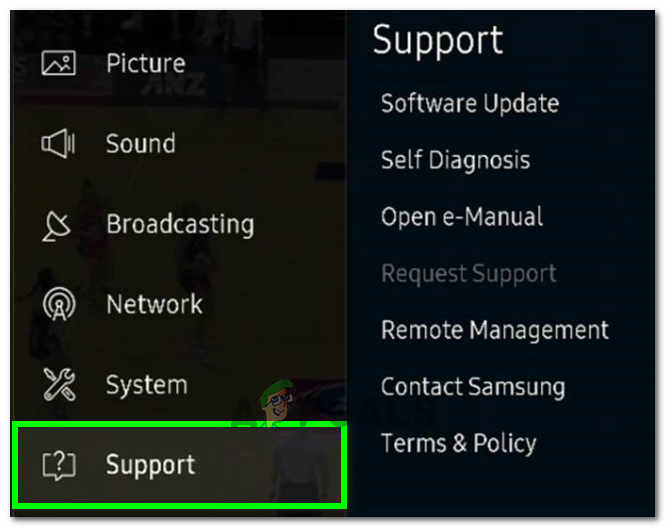
    Clicking on the “Support” button
  3. Select “Self Diagnosis” and then the “Reset” button.
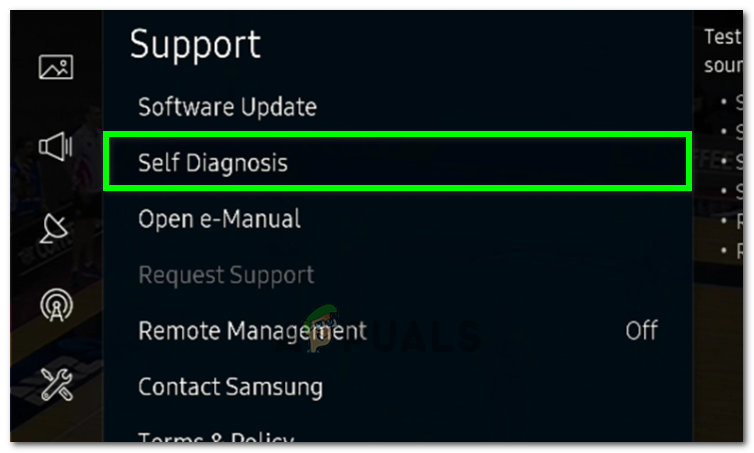
    Selecting Self Diagnosis Option
  4. Enter the default pin, “0000”, unless you have changed it.
  5. Follow the on-screen prompts to reset the TV and check if the issue is resolved.

4: Reinstall YouTube

Reinstalling YouTube removes any corrupted files or bugs, letting you install the latest version of the app. This process gets rid of outdated or damaged data.

  1. Navigate to “Apps” on your Smart TV and select “Settings” from the top right corner.
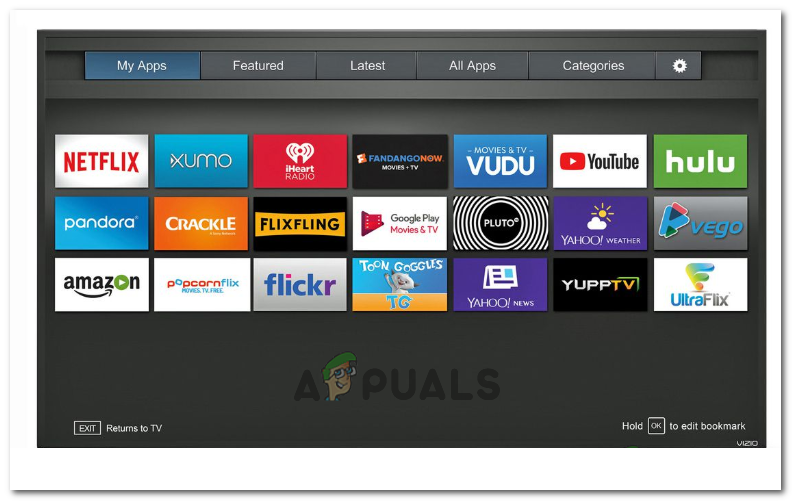
    Selecting “Settings” from the top right
  2. Click on “YouTube” and then select “Reinstall”.
  3. Wait for the app to reinstall and check if the issue persists.

5: Correct Time

If your Samsung TV’s system time is wrong, apps may fail to start due to connection issues. Fixing the time makes sure your device syncs correctly with YouTube’s servers, preventing security errors and helping the app load properly.

  1. Navigate to “Settings” and click on “System”.
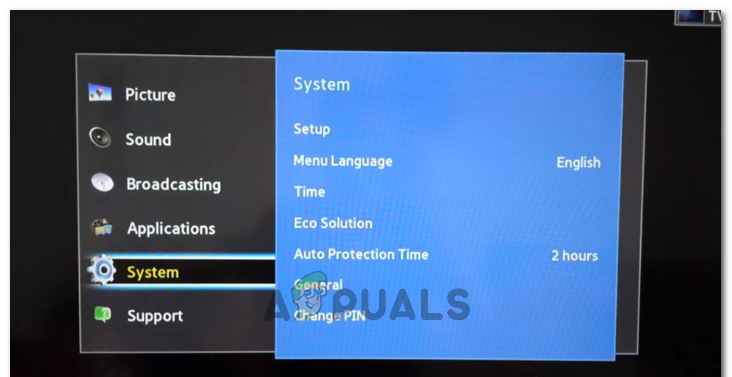
    Clicking on “System”
  2. Select “Timer” and click on “Clock”.
  3. Ensure the time is set correctly.
  4. After setting the time, check if the issue persists.
ABOUT THE AUTHOR

Kevin Arrows


Kevin Arrows is a highly experienced and knowledgeable technology specialist with over a decade of industry experience. He holds a Microsoft Certified Technology Specialist (MCTS) certification and has a deep passion for staying up-to-date on the latest tech developments. Kevin has written extensively on a wide range of tech-related topics, showcasing his expertise and knowledge in areas such as software development, cybersecurity, and cloud computing. His contributions to the tech field have been widely recognized and respected by his peers, and he is highly regarded for his ability to explain complex technical concepts in a clear and concise manner.

Comments

28
    AB
    Ami Bleu Oct 23, 2019

    It’s a miracle. Have been trying for weeks to get out of the you tube grey screen. Followed directions and ‘voila’- I’m in. Thank you.

    MI
    Md Ashraful Islam Dec 21, 2019

    effective post

    MM
    Mike M Jan 26, 2020

    This is the only thing that worked! Amazing! Thank you for getting rid of my headache searching the web for a fix with such a simple solution!!!

    SW
    Shane Warren Author Mar 21, 2020

    Is the signal strength ok in the place where the TV has been placed?

      JO
      jovion Mar 23, 2020

      hello can you help me toadd my vam???

        SW
        Shane Warren Author Mar 24, 2020

        Can u please elaborate?

    JD
    Jazini Dorcheh Apr 14, 2020

    Hi. Need help with my YouTube on my smart Samsung tv. It stopped working suddenly.

      SW
      Shane Warren Author Apr 17, 2020

      Did you try the methods in this article?

    RS
    Renée Shirley Apr 24, 2020

    This helped thank you

    ZK
    zaman khan May 19, 2020

    few days ago I watch YouTube HD.suddenly resetting tv.it always play 720p.what’s reason?

      SW
      Shane Warren Author May 22, 2020

      Is there an option while playing the video to change to 1080p?

    JE
    Janet Edwards Jul 2, 2020

    Thank you. The only one that worked was to do a complete reset to factory settings.

    KH
    khursheed Jul 14, 2020

    My tv is samsung js9000 curved 65″
    Since few weeks the you tube wont work properly
    all its function wont open , as on desktop computor.
    i reinstall it several time but no success.
    pls advice

      SW
      Shane Warren Author Jul 16, 2020

      Try to reset it to factory defaults and check if that fixes the issue.

    TR
    Tony Farney B. Mendes Ribeiro Jul 19, 2020

    I did EVERYTHING described on this article (including firmware update and history clearing) and NOTHING solved my problem.

    Here is the final solution (the only one really worked): DISCONNECT the INTERNET CABLE and use WI-FI connection instead. It’s really illogical, but fixed the problem. Only God knows why.

    Reply
      SW
      Shane Warren Author Jul 20, 2020

      Thank you for sharing, we will add this to our post as well

        TR
        Tony Farney B. Mendes Ribeiro Jul 20, 2020

        Great! It really can be helpful for someone else.

      AS
      André Sousa Aug 25, 2021

      you are the best! incredible… It works 🙂

    GW
    Gary Whelchel Aug 22, 2020

    Samsung works with all other apps over wifi/streaming. You Tube just has the buffering spin – Not loading. Fixes????

      SW
      Shane Warren Author Aug 23, 2020

      Have you tried some of the fixes mentioned in the article?

    EL
    E L Nov 7, 2020

    I just found out by testing the network connection also helps with issues of lagging, buffering, and other app issues.

    Reply
    UA
    UA Dec 17, 2020

    My samsung TV was having a similar issue, whenever I used to open the youtube app an error would appear saying “Network Error Occured”. The solution to this issue was to open the web browser and navigate to youtube.com, verify yourself as a human by solving the Google puzzle and then open youtube app, it would start working again.

    Reply
    MW
    Mark Webster Apr 2, 2021

    My issue is that I play maybe one video, sometimes 2 or 3, then when selecting another, it goes blank and I end up pulling the power plug from the TV and reinsert.

    JH
    JL Havoc Apr 5, 2021

    How can I close this tab on my samsung curve this is a recaptcha
    for you tube? Thanks. https://uploads.disquscdn.com/images/4275f32885ebc9879ad2752ea5b9492744819a0f8ccb4a98d37b0de49720131a.jpg

      MZ
      Muhammad Zubyan Author Apr 5, 2021

      You can’t, you will have to solve this captcha in order to start watching YouTube. I suggest you contact your ISP and tell him about this issue.

    AK
    akilla214u2c Sep 28, 2021

    The thing one noticed is that this buffer only happens on my older 2019 Samsung TV. I have a 2021, 2018, an LG TV and not of them are experiencing the long delays and buffering to load a video.It also, started right around when i signed up for Premium YT. I guess I need to downgrade n accept the many ads per video.What App is the YT competitor? Thats how you fix this problem.

    DW
    David Wilson Nov 13, 2021

    Same problem & must run Device Care and clear memory. Samsung needs to fix and reserve enough cache to start YouTube TV

    JO
    John Nov 20, 2022

    Thanks