We may earn a commission for purchases made through our links. Learn More


Do You Really Need 64GB Of RAM?

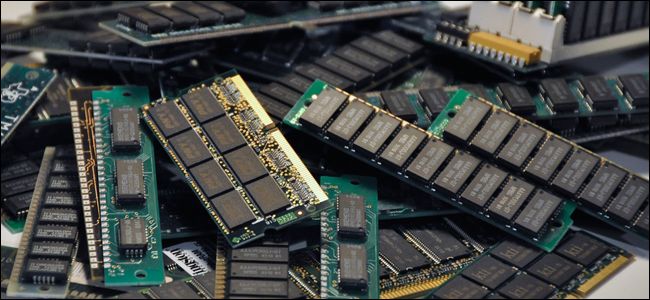
There is no denying that RAM is perhaps one of the most important components of any PC build. Simply because without any RAM, you will not be able to boot your PC, and that is an issue for a lot of people. So, in such situations, you really need to make sure that you are fully equipped with the right amount of RAM.

Now when we are talking about RAM, there are many options available that you can go with. You can start with as low as 2GB, and go as high as 128GB, or even more if you are looking at server level operations. However, the main concern comes into place when you have to choose just how much RAM do you need.

This is what confuses most of the people in the market, and it really is an important factor to be careful when choosing the right RAM. Since we are on the topic of RAM, we would like to inform you when we reviewed the best mini-ITX motherboards and it was not easily possible for us to install 64GB RAM, so if you’re in the same boat then keep this in mind.

For now, we just want to discuss whether getting 64GB RAM as someone who is just going to use the PC without any intensive applications is enough or not. You see, we have seen so many people actually do this for the sake of upgrading or having RAM but all that RAM is going nowhere since there is no application intensive enough to use it.

With that out of the way, let’s explore some scenarios that will help you figure out if you actually need that much RAM or not.
Do You Use Your PC Solely for Gaming?

First things first, whenever you are in the market looking for RAM and you are not sure just how much RAM you are in need of. You need to ask yourself if you are solely a gamer, or you are someone who does other tasks on their PC, as well.

If you are just going to play games, then having 16GB RAM is actually more than enough. As a matter of fact, I still have not seen any game in the market that requires more RAM than 16GB. This is something that is extremely important because 16GB has become the mainstream standard in the market.
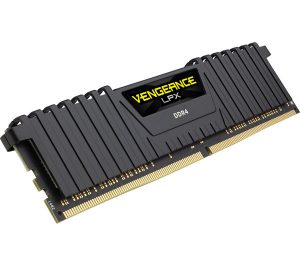
If you do rendering, and some intensive work that requires more RAM, you can add in 32 gigs of RAM since most modern motherboards do come with support for that capacity, as well.

So, if you are just someone who is going to play games on their PC, having 16GB RAM is more than enough and we can assure you that it will certainly not come in your way. That is what you must keep in mind.
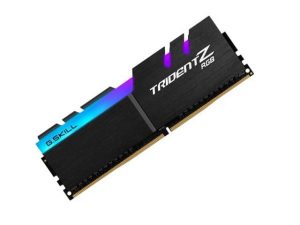
Do You Render?

Now comes the more important part, since we have already crossed the realms of 16GB, we are left with what is above. If you are looking into doing some rendering, editing videos, or using CAD, then having more than 16GB is definitely better.

Granted, 16GB will let you perform all the aforementioned tasks with ease, but you do need to know that it is not going to be as easy and will take time.

If you start bumping up the RAM from that point and on, you will start getting better performance with more RAM you have. However, this only applies to the complexity of your CAD because otherwise, if it is simple, you might not need that RAM, to begin with.

So, Do You Really Need 64GB RAM?

Well, if there was no need for it, no one would actually make it, in the first place. But with CAD being more and more complex as the time goes on, and video editing software solutions becoming more demanding, there will be a time when even 64GB RAM would not cut it.

If you are going to ask us whether you need 64GB RAM in 2019 or not; the answer is actually very simple. You do need to have this much RAM. However, you only need this much RAM if you are going to be designing, doing rendering, or using multiple applications at once.

If you just want to play games, then having 16GB RAM is going to be more than enough for you and will not cause any hindrances for you, either.


ABOUT THE AUTHOR

Bill Wilson


Bill is a certified Microsoft Professional providing assistance to over 500 remotely connected employees and managing Windows 2008 to 2016 servers.

Comments

10
    OK
    ok Mar 30, 2020

    ok

    VC
    Video Game Cheats May 13, 2020

    With the new xbox & ps5 coming out, I made the jump to 64GB of ram. With every new console generation, you should expect a jump in ram requirements as the new generation games become mainstream. For example, with the xbox 1 & ps4, games hitting 8GB of ram on average became the mainstream for many AAA games.

      SE
      se7en Aug 17, 2020

      Huh? Next gen consoles arent even going to have anywhere near 32gb of ram. Maybe 16gb…

      DR
      disqus_Rxqe3imu1X Feb 4, 2022

      ps5 has a 1660 in it anyway

    DT
    David Thiel Aug 12, 2020

    I just upgraded to 64GB wit two more sticks of 16GB (same brand and clocks) all is well… I mostly work with Photoshop and honestly 32 GB was well enough. BUT I just bought (2) 4K action cameras and believe 64GB will help out rendering video editing type work loads. Side note This is a million times more memory then my 1983 Apple 2e or 16 million times more then my Heath Hero 1 robot! I been at this computer lark for almost 40 years and “Moore Law” (exponential growth) blows my mind!Will we get to 1.5NM transistor gap size? Will DRAM memory continue to scale? Will newer tech aka non-volatile memristors give us instant on even greater capacity? I can’t wait so see were all this goes and what applications we’ll be using. And if i can carry on a conversation with or get good advice from my refrigerator in the future.

    MM
    Mark Matthews Mar 19, 2021

    Rendering video.. most quality editing software allows choosing the GPU as the render device (Nvidia CUDA for example). I believe this is the fastest way… so simply, having a really good Graphics Card may be more beneficial than 64gb system mem. having both is even better. ha

      SL
      Sky Leach Feb 9, 2022

      First: you’re correct. It’s both. It is not, however, a better and best situation in practical application. The simple truth is that in most situations, you’re only going to go from one problem to another if you only address one issue (the video card). Latency is almost always one of these: network, BUS (meaning ram essentially) and GPU. Often it’s the post-processing (Volumetric lighting, shadows, tessellation, etc…) that slow people down and that’s because the GPU doesn’t handle it all. Some of it has to be handed off to the CPU. The whole process of that pipeline is often where the FPS go down and down and down.

      The overwhelming majority of games and libraries control the GPU upload of textures directly instead of handing them to the video driver. This is because each video driver is slightly different (different API calls, different responses, etc…). Most engines try to make a single exposed API and then “support” as many drivers as possible, but that usually winds up being 3: intel, amd and nvidia with a smattering of ancient things like VESA and VGA.

      What all of that translates to: the ram or disk are piped via process to the card, so you’re still going to be using the RAM even if actual use is all inside the GPU.

      It should be noted that most GPUs *can* handle almost all of those operations, but only with instructions so new they aren’t yet in the game compiler or game code. By the time they’re adopted, the game is out of date and new games are slowing you down with new stuff.

    FL
    Frank Lazar Nov 30, 2021

    I have 32 gigs of RAM but I may just fill out the last two spots with RGB fake sticks to complete my set. But on the other hand I may max out so that I can devote more resources to virtual machines.

    JO
    Josh Dec 7, 2021

    Star citizen which is still in alpha, has 16 gb min and will easily use 22-24 gb. Though the game is not very optimized.

    SL
    Sky Leach Feb 9, 2022

    Everyone needs as much RAM as they can afford. Not only do games and many programs use as much as they can allocate, but ever since hyper-threading became ubiquitous your operating system (all 3 major desktop ones) is going to perform better if it can allocate pages to each thread. Yes, the thread and process managers will, of course, not have direct access to ram, but the OS will queue predicted blocks of memory to be uploaded to the L3 and L2 and finally L1 cache in sequence. If it can do this predictably (like with large buffers of textures, paged dword data, etc…) then it will be orders of magnitude more efficient.

    With networking and large files that are often compressed there is truly a stupid amount of information constantly being pumped through the bus and L3 cache. Much of it doesn’t need to be processed by the CPU, but the CPU has to gate it (decide where it goes, within the kernel usually) so never having to travel all the way to disk really speeds things up, no matter what you’re doing with your computer and even if it’s just a whole heck of a lot of browser tabs.