Fix: Epson Error Code 0x97

There’s no doubt that Epson printers are one of the best printers that you can find in the market these days. But best doesn’t mean perfect. There’s a high chance that you will be a victim of error code 0x97 if you are using the Epson printer, especially for a long time. The error code 0x97 can occur at any time without any warnings or signs. Usually, this error presents itself on the printer with an indicator to turn the printer off and on again. Usually, this error code will show up during the printing process and your printer will stop printing afterward. So for as long as this error keeps showing up, you won’t be able to use your printer.

The Epson error 0x97 happens because of an internal hardware issue. There are quite a few Epson models that are known to have this hardware issue where their motherboard will fail all of sudden. There aren’t many things that you can do once you’re facing a hardware issue and at most, you can try to clean the print head nozzles. There are some workarounds for the problem but as you might have already guessed, there isn’t a permanent solution except for repairing or getting a replacement.

Try the methods given below to troubleshoot and solve the problem but if nothing works then your last choice would be to try the last method.
1. Unplug and Plug-in

The steps given below require some technical knowledge of how to open and use your printer. If you aren’t sure then refer to the manual that came with your printer because the steps vary from model to model.

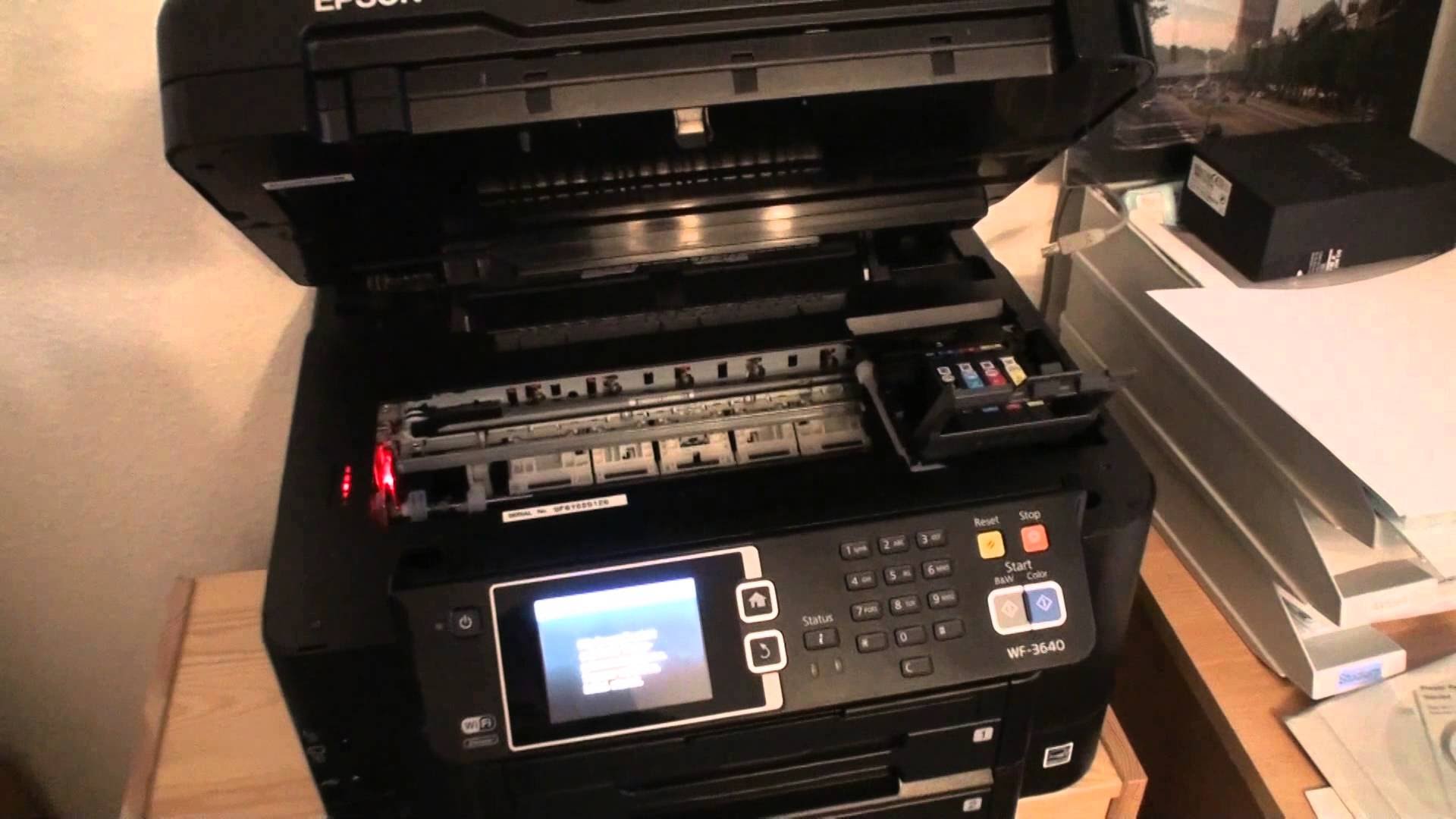
  1. Open the printer casing and check for any jammed papers or debris. If you find any, remove it.
  2. Remove all printing cartridges
  3. Unplug all the USBs and cables
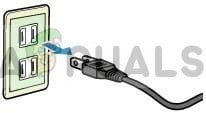
    Unplugging power from the equipment
  4. Once the printer is disconnected, press the power button as if you were trying to turn on the printer. This will discharge any residual current in the printer
  5. Now reconnect all the USBs and power cable
  6. Turn on your printer and check for the error

2. Power-cycling the Printer

This method is a variation of the first method. So if that didn’t work then try this method to confirm if the error is caused by the internal hardware failure or not.

  1. Turn off your printer
  2. Unplug all cables
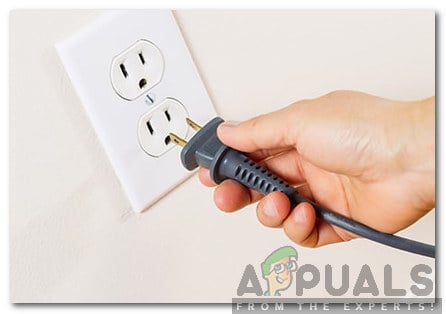
    Unplugging
  3. Wait for 5 minutes
  4. Press and hold the power button for 60+ seconds (DO NOT release it)
  5. When the 60+ seconds have gone, plug in the power cable while keeping the power button pressed
  6. Hold the power button pressed for another 60+ seconds (after plugging in the power cable)
  7. Release the power button after 60 seconds of plugging in.

Now check if the error code is still shown on the printer.

3. Wet Tissue 

In some cases, the error code might be displayed because of waste ink around the head sprayer.  Cleaning that waste ink with wet tissue sometimes solves the problem. Follow the steps given below to perform the cleanup procedure.

Note: This method requires a bit of technical knowledge and might not be suited for everyone. If you aren’t sure then ask an expert and take help from the manual that came with the printer.

  1. Turn off your printer
  2. Open the printer casing
  3. Take a tissue and wet it with warm water
  4. Now move the head to the center
  5. Put the tissue to the head cleaning mechanic pad
  6. Move the head to the parking spot
  7. Wait 10 minutes

Now remove the tissue and close everything. Turn on the printer and check if the problem is still there. Repeat this method 3 times if it doesn’t work the first time.

4. Customer Support

If none of these methods shown above helped you at all, then it’s highly likely that it’s a hardware failure. There is nothing that you can do to fix the printer now without taking the risk of permanently damaging your printer if you want to ignore that warning and still continue you can try some of the steps in this article (here). If you don’t want to continue with the steps you can contact customer support and they will guide you further. If you have your warranty then Epson should replace your printer with a new one within a few days.

ABOUT THE AUTHOR

Kevin Arrows


Kevin Arrows is a highly experienced and knowledgeable technology specialist with over a decade of industry experience. He holds a Microsoft Certified Technology Specialist (MCTS) certification and has a deep passion for staying up-to-date on the latest tech developments. Kevin has written extensively on a wide range of tech-related topics, showcasing his expertise and knowledge in areas such as software development, cybersecurity, and cloud computing. His contributions to the tech field have been widely recognized and respected by his peers, and he is highly regarded for his ability to explain complex technical concepts in a clear and concise manner.

Comments

51
    DG
    diane guajardo Jul 7, 2017

    Thank you for this info. The first fix worked for me! Much appreciated.

      KA
      K. Arrows Author Jul 14, 2017

      Welcome

    KK
    Kathy Knettel Jul 16, 2017

    Thank you for the info. After using the first fix I was able to get one more page to print, then nada. I tried the others and printing would start then quit with the error message. I’m afraid my printer is done for 🙁 Well, it’s been about 5 years so I guess I shouldn’t complain too much. 🙂 Thanks again!

      DJ
      Denise Jackson Feb 1, 2018

      I have this problem also every time I try to print. I have the WF3640 at home and WF3560 at work. Both print very light and always have problems. I also purchased the Hp 8710 for the office and several other HP Printers. I am tired of dealing with the Epson issues and will get the HP to replace this and never get another EPSON again. No problems with HP ever.

    LL
    Lauren Love Jul 22, 2017

    Thank you! I can’t believe it was as simple as unplugging and plugging everything back in.

    JJ
    Jeanette Jenne Jul 23, 2017

    The second “fix” worked for me. Thank you so much!

    JJ
    Jeanette Jenne Jul 23, 2017

    The second fix worked for me. Thanks so much!

    DB
    David Brown Jul 27, 2017

    This is my 2nd Epson printer the first one did this and could not fix it with these methods and this one is only 7 months old that it is doing this again! If I cant get it to work I am going to Hewlett Packard 🙁

      PZ
      Patsy Zamani Aug 8, 2017

      I thought I said this, because it’s the same thing with me exactly.

      PZ
      Patsy Zamani Aug 8, 2017

      I thought I said this, because it’s exactly like what happened to me. I’m checking out the HP’s too.

      DB
      Dave Brown Aug 10, 2017

      It worked after the 3rd method
      ….for now…not for my first printer though!

    SH
    ShelleySchanfield Aug 2, 2017

    Working so far after doing second fix. Fingers crossed and thanks for the tips!

    LE
    Leah Aug 4, 2017

    I’ve done them all and nothing helps!

    LE
    Leah Aug 4, 2017

    Help! Nothing works!

    LG
    Lisa Gluck Oct 5, 2017

    Epson has replace my printer twice. I third time I bought another one, and returned an old one. Three printers in two years, and none lasted more than a month, with very little printing, still using the 3 sets of starter in to show how little printing I’ve done. This model is an absolute joke.

    LP
    Lea Phillips Oct 13, 2017

    Thanks for the tips. I have a WF7600 printer, which is giving the 097 error. The first method has not worked. I have moved the print head OK, but what should I be looking for in terms of the ‘head cleaning mechanic pad’? Theres a white plasic bit that looks clean, and some little sponges one black one with colours, theres some ink on these butlooks like its probably normal. Behind is a some black plastic bits and some greasy looking whitish stuff on the right. Is it worth cleaning this away?

    SH
    Skip Hungerford Oct 15, 2017

    The way it reads Epson knows it has this problem but yet they could care less. I have about had it with Epson

    GE
    George Oct 26, 2017

    Thank You, i tried the first option but it didn’t work, tried the second option it finally worked.

    MI
    Mike Nov 9, 2017

    Model WF4640 Have tried all to method 3, with no success. Taken to agent who got a new master broad FOC from Epson says it still does not work. putting good money into this for no return. NO MORE EPSON

    DO
    dorcom Nov 19, 2017

    The biggest fraudulent junk of a printer!
    In the meantime we found out that if you use other quality ink you can successfully eventually de-clog almost completely the print head and resume almost normal printing!
    Here is where it gets legally really interesting: replacing the alternative ink with Epson ink, (Something Epson strongly discourages and even warns you that non-authentic cartridges have been inserted) the print-head eventually gradually clogs up again and to clean it you need a lot ink, which of course Epson, insisting that only their relentlessly overpriced ink is to be used, which they are of course happy to sell you!
    I smell a rat here!

    Read this well-documented factual story/ordeal with an Epson WF 7620:
    (if you wonder why I put up with this Epson garbage for so long the answer is that In our small business we required certain features that apparently only this printer has unless I spent thousands of dollars on another product.)
    ————————————————————————————————————
    UPDATED 11/07/17

    Guess what!? Today at 12:56 PM PST the fifth replacement printer from Epson died again with error code 0X97!!!
    THIS IS ASKING FOR A LAWSUIT, THIS IS OUTRAGEOUS! FIVE (5) REPLACEMENT PRINTERS SINCE LATE DECEMBER 2014 AND ALL OF THEM DYING WITH THE SAME ERROR CODE!!! THE SAME PROBLEM STARTS AFTER 5 MONTHS!!!!
    Smudgy fuzzy printing using up cartridges by the handful for cleaning with no result! Eventually Error code 0x97!!!

    UPDATED 08/13/17
    This is an unbelievable worthless defective product!
    It is now after 4 warranty exchanges and the 5th piece of garbage Epson printer I’ve gone through in 2 1/2 years!!!
    It’s not even worth as a paperweight!
    The best thing is to shred it to small pieces and force feed to the engineers and management at Epson!

    A few days ago, after only four months (!!!) the 5th (!!!) replacement printer starts to irreparably smudge and smear again!
    I wasted 2 sets of cartridges (!!!) (more cost than the printer!) with no improvement. (See attached print out scans)

    This time so far it is not the electronics that crapped out. For a change on the theme it’s the printhead that fails after a few months.
    I still had the original first set of cartridges in it this replacement printer that came from Epson!!!
    Of course, two cleaning cycles emptied completely the remaining ink in these cartridges. I had to replace all with a whole new set of new cartridges (an extra set the print came with, outrageous courtesy of Epson…)
    Of course, again I had to go through several cleaning cycles but to no avail!
    It smudges and the print out is not legible anymore! (see attached images)
    Truly un effing believable!!!

    This is the fifth (5th!) printer from Epson which becomes useless within a few months. 5 printers in about 2 1/2 years!
    Despite that OEM original cartridges are in the printhead, for inexplicable reason after a few months but no longer than six months the print-outs become smudgy and this time In addition the yellow starts to print intermittently with cyan smudges and cyan lines!!!
    (I have scanned images of the print outs)
    A a few days ago the black started to smudge so I went through several full cleaning cycles but it did not correct the smudging and now I’m out of black ink again and low on all colors!

    A completely useless and defective product throughout!

    UPDATED 04/04/17 BE WARNED! A PIECE OF GARBAGE
    A WORTHLESS TROUBLESOME AND AGGRAVATING JUNK!
    WHAT A RIP OFF!

    They must have hordes of incompetent and inept engineers specializing in producing useless garbage printers!
    I’d like to smash the printer their head until it goes to pieces!

    Read this story and tell me how long you would put up with this nonsense!

    “TAKE 1”
    Bought this printer in late December 2014 t a special “trade-in-your-old-printer-get-$50” discount deal at Office Max.

    “TAKE 2”
    5 months later fatal error code 09xD
    Epson support shipped a new one in June 2015, told me to dump the old one.
    several months ago again developed printing problems, nozzle clogging.
    Now not even 1 year is up and it does not print well.
    To many lines drop out.
    Head cleaning doesn’t fix it.
    Wasted a full XL ink cartridge ($ 35.-) on head cleaning!!! No go.

    Epson Ink can cost you after average small office use quickly more than the printer purchase price!
    You ‘ll end up spending a multiple on ink vs. the actual printer purchase in a year!

    “TAKE 3”
    Today April 9, 2016 the replacement printer stopped after printing 1/3 of a page.
    Error code 0x97 (NOT EVEN LISTED ON THE EPSON SUPPORT SITE!!!)
    No go again. Dead again.
    Called support again.
    They will again ship a new one again, told me once more to dump the old one.

    “TAKE 4”
    Today APRIL 4th 2017 this glorious inane piece of a garbage of a printer failed again:
    Error code 0x97
    This is un effing believable! I’m in the middle of doing my taxes and now this!!!!
    Can I print with this piece of garbage or is it a “let’s play defect” junk?

    “Take 5”
    Around mid April 2017 I received after some elevated support back-and-forth with Epson a refurbished unit but was damaged in shipment because of poor packaging by Epson. They sent me a new unit (For the fourth time!) requesting the old unit to be sent back (free).

    Around early August 2017 the printer started to smudge. So I invoked Nozzle cleaning cycles. The print output quality improved a little bit but then shortly thereafter smudged even more. Looking closely at the paper it looks like the ink gets squirted around all over the place, the edges are very fuzzy and diffuse. (see attached images)
    I went to another cleaning cycle and another one and another one without improvement but emptying All the ink cartridges In the process! I replaced the whole set of ink cartridges went again through several cleaning cycles with no improvement!
    now have again almost empty print cartridges and a printer not capable of printing clearly!

    What a piece of crap! What a defective product this is!
    Hello Epson! What about product liability? You produced a defective printer were the only thing that works reliably is that it fails!

    This is clearly a defective poorly engineered product! In my opinion, this should be looked into by the FTC as this is a product that does not deliver what people paid for! This is half a fraud and half criminal to dump such defective product on the market ripping people off with selling overpriced ink cartridges to the defective product. Your print head needs cleaning just after about every 20 pages consuming one-third of the ink in the cartridge!!

    Just imagine if this were a car…! Or for that matter any other product you need to rely on!

    (If Epson tells you to just dump the old one, then you can imagine what worthless piece of low-cost junk this is to them, the main thing they can sell you overpriced ink cartridges, making a killing!)

    If that is not enough alternately the printer fails again!
    This is completely ridiculous and TOTALLY UNACCEPTABLE!

    My advice: Get another brand! Stay away from Epson, they’ve gotten sadly too cheap, crappy and unreliable.
    A real piece of real worthless dysfunctional unreliable poorly engineered junk!

      KG
      Krista Guziolek Jan 7, 2018

      thank you, method 1 first, did not solve it but method 2 did

      ST
      Strider Jun 4, 2019

      I suspect an active artificial aeging program in the product. A real hardware issue is just the end of it. Period. But this is error code 0x97 is supicious in nature and “clouding” the end of life of the product. The described remedial actions are not related to any identified root cause. The comments about fraud is indeed likely.

        TH
        Think! May 14, 2020

        Couldn’t agree more with you! So were is the class-action lawsuit?

    GJ
    Ginny Joyner Jan 10, 2018

    Quick fix #2 worked! My warranty ends 4/18, though…what should I do???

    KO
    Konz Feb 5, 2018

    Regarding the Epson printer error code 0x97…Make sure all of your ink cartridges are snapped in. My black ink was just a little lose. Took two months to find and fix.

    Reply
      OT
      oturner Mar 13, 2018

      Thank you Konz. I had tried countless fix suggestions to get rid of error code 0x97 to no avail. Just prior to ordering a new printer I came across your comment and gave it a try; worked like a charm.

    GG
    ggillman Feb 7, 2018

    Grr, figures now that I’ve got all new ink cartridges and even a dust cover for this horrid printer, in spite of rarely getting a decent printed page out of it since I bought it 6 months ago, getting this error code 0x97 is pretty much the last straw for me. I have never had a problem with HP Printers, and this thing is going into the trash once I get a new printer. What a waste of time and money. Lesson learned.

      TH
      Think! May 14, 2020

      Couldn’t agree more!
      Epson printers, in my case the (oxymoron) “Workforce” 7620, are the biggest piece of garbage
      “paperweight” I ever came across and I’m surprised that Epson has notbeen bombarded with class-action lawsuits.

      Best model name for thisprinter would be WTF 7620 or error code force machine 7620.

      I exchanged 7 (!!!) Printers in 5 years (documented) all with the more or less same problem developing. After 4 to 5 months the head starts to clog or whatever other cryptic error codes this thing produces.

      No matter what you try and how many gallons of ink you have to waste with
      cleaning cycles, it will never print clean and correct again!
      (Just imagine if this where a car or other machinery, would you put up with something like that?)

      Epson knows this but they couldn’t care less.
      They basically give you the proverbial middle finger.

      If you consider what they extort for a set of ink cartridges (the only reasonable ink cartridge size is the XL version, if you want to print more than 5 pages, and a full set cost upward $150 which is only about25% less then the printer itself !)

      You’re better off just buying a new printer every time the ink is low….
      (So much for environmental consciousness, conservation and carbon foot print reduction….)

      I advised many people to save themselves from frustrations and problems by simply NOT BUYING an Epson printer!

    SB
    sb Feb 16, 2018

    Or…It may be as simple as replacing the maintenance box (where all that ink goes each time you clean the print heads!) in the rear of the printer. I didn’t even know that the WF3640 and similar models had one! Part Number T6711 same as T671100.

    Reply
    RW
    RWild Feb 27, 2018

    Kevin, thanks for posting these instructions. I have two WF-7620s, bought roughly a year apart (just after first printer’s warranty expired 😉 ). The newer one just started this 0x97 business this week but your Method 3 worked like a charm. The older printer gives this error very frequently, once it started months ago, and all other methods of trying to fix it have failed, including your Method 3. The problem with your method is that the whole print head assemble cannot be moved when the printer is off (I’m not about to stick my hands in there when it is powered up).

    The printers were manufactured about 13 months apart and I immediately saw one difference. Both have a metal strip that seems to be the print head guide. On the newer printer, the strip is completely vertical (perpendicular to the floor) while on the older, the strip is angled at about 45 degrees. I haven’t been able to find any type of release that will allow me to slide the head towards the center to exposed the cleaning pads. Do you have another neat trick to get around this problem?

    TIA

      RC
      Ray Connor Mar 5, 2018

      Hi

      I am Ray looking after the comments. We’ll review this article and update shortly. Thanks

      RW
      RWild Mar 13, 2018

      I did eventually to get that stuck print head to move. Must have not held my mouth right the first time.

        GA
        Garibaldi May 29, 2018

        If you ever need to move the print head again in the future, shut the printer off. Power it up and as you can hear the motors turning and the carriage moving, pull the plug. If the print head is not over the maintenance station, then it will move freely. Just do not move it all the way to the right or it will lock. You can also start a print job and when it starts pulling paper, pull the plug. This works as well if you do a cleaning cycle. Always pull the plug when the printer is live. Don’t forget to remove the paper that started to feed.

        Reply
    DD
    DDVA1 Apr 13, 2018

    WOW! Cannon thank you enough for Method #2 above. Excellent! I had a sudden, unexplained, and seemingly unfixable 0x97 error that was about to end the life of this printer, early, at a time I really needed it. And that fix worked like a charm! Thank you. How did you (or someone) figure out this method?? What does it actually do for the printer? Thanks again. And I recommend trying this fix.

    US
    User315 Apr 15, 2018

    Method #3 worked for my WF3640. Also, I did check that the ink was engaged as others suggested. I’ve liked this model better than my WF610 that died and Epson sent me a replacement.

    HP
    Helen P Apr 18, 2018

    I have an XP 520 which has suddently stopped working. The error message is: “An ink pad needs service – contact Epson” with the code number E-11. I can’t find that error code on Epson’s website.

    DA
    Dave Apr 27, 2018

    I almost gave up, but I continued to use Method 3 and Method 2 alternately. I removed all of the cartridges, and used moist paper towels to clean the inside of the cartridge holder as well as the pad. I left the towels in place for 5 to 10 minutes at a time and also wiped the pad. I used a lot of paper towels which soaked up a lot of ink. After significant cleaning of the cartridge holder and the head cleaning pad, I used Method 2 again, and my printer finally started working. I’ve had my printer for about a year and a half and never had an issue until I decided to try the XL color cartridges. I had used the XL black from the time I initially purchased the printer. When the XL color cartridge are used up, I plan to go back to the regular color cartridges.

    Reply
    BA
    barberqueue May 6, 2018

    I tried Method 1, 2 and 3 a number of times on my WF-7610 but nothing worked. Eventually reset all the settings to default from the control panel. That seemed to work and printer is currently working fine again, both from the control panel and when printing from a network computer.

    RO
    Roy May 22, 2018

    Thank You!! Method 3 worked!!
    I did the moist tissue method 3 times before I tried restarting the printer!
    It was really dirty.
    Thanks Again!!!

    IR
    Irene Jun 28, 2018

    Thank you very much. I worked method 2 (I did not try any other).
    I think mine also needs head cleaning but I’m afraid of damaging them. Again, a thousand thanks

    IR
    Irene Jun 28, 2018

    Creo que la mía también necesita limpieza de cabezales pero me da miedo dañarlos. De nuevo, mil gracias

    TR
    Trzo9veuha Oct 15, 2018

    I’m only getting the error code on my WF-3640 when I try to print 2 sided. None of the above fixed the error. What does that say?

    MH
    mustansar hussain Dec 6, 2018

    i called epson they said its hardware failure and they ll send me a new one for no extra cost.
    i m getting it next couple of days
    by the way m from canada

      TH
      Think! May 14, 2020

      I went through this 7 times in 5 years….

    DI
    dileho Mar 21, 2019

    I have Epson WF 3640. Step 2 helped me and fixed the issue…at least for now.. Thank you

    SW
    Shane Warren Author Sep 22, 2019

    Clean your printhead in an attempt to fix the issue, if that doesn’t work take it in for service

    SW
    Shane Warren Author Sep 29, 2019

    It might indicate a hardware issue with the ink pad. Best to get it into service.

    EW
    Elzooi Wijnboer Dec 20, 2019

    I do have a WF7610, i did try method 1,2,3 but nothing is working, wenn i try to print, the printer gives a blanco paper and then i got the message 0x97 error code ;-( This really sucks, does Epson has a programm for to repair this????

      SW
      Shane Warren Author Dec 24, 2019

      You can try to contact customer support as they will be able to assist you better with your case.

    TH
    Think! Jun 4, 2020

    You forgot to mention “Method 5: Best way repairing the Epson.”
    Obtain a suitable 10 pound hammer and smash the thing to pieces because it is pure garbage.
    I went through 7 Epson printers workforce 7620 in 4 years, now as of early June 2020 number 8 is failing.
    It is a useless mal engineered piece of …….. and Epson should be held liable for this defective product they created in the first place!

      SW
      Shane Warren Author Jun 5, 2020

      LOL! A lot of people have actually complained about this and a lot of them have to get a return on their printer because they don’t work efficiently.