How to Fix “Failed to install EasyAntiCheat” Error?
The “Failed to install EasyAntiCheat” error appears when EasyAntiCheat (EAC) cannot install its service correctly or fails to initialize when the game launches. EasyAntiCheat runs as a background service that protects online gameplay. If its service is missing, blocked, corrupted, or unable to start, the game will not launch.
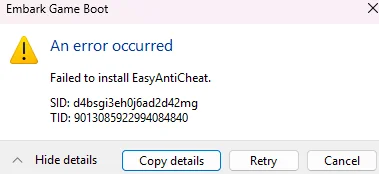
This issue usually happens for one of these reasons:
- Missing administrator permissions
- Corrupted or incomplete EasyAntiCheat files
- EasyAntiCheat service not starting
- Antivirus or Windows Security blocking installation
- Missing or damaged game files
In this article, we will show you how to fix this issue.
1. Restart Your Computer
A restart clears stuck EasyAntiCheat processes or partially initialized services that may be blocking installation.
To restart: Press the Windows key → Select Power → Click Restart.
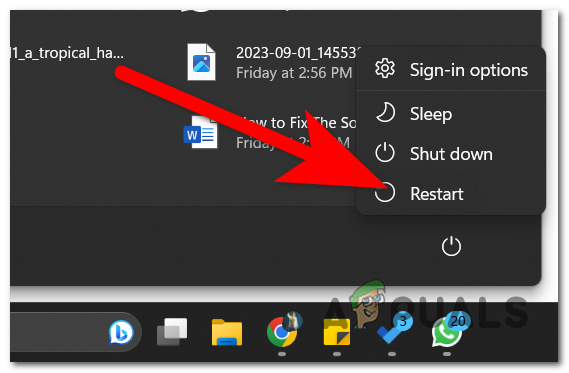
After restarting, launch the game again. If successful, EasyAntiCheat should initialize and the game should reach the main menu.
2. Run the Game Launcher as Administrator
EasyAntiCheat installs system-level service components. Without administrator privileges, Windows may block it from registering the service.
To do this: Right-click Steam or Epic Games Launcher → Select Run as administrator.
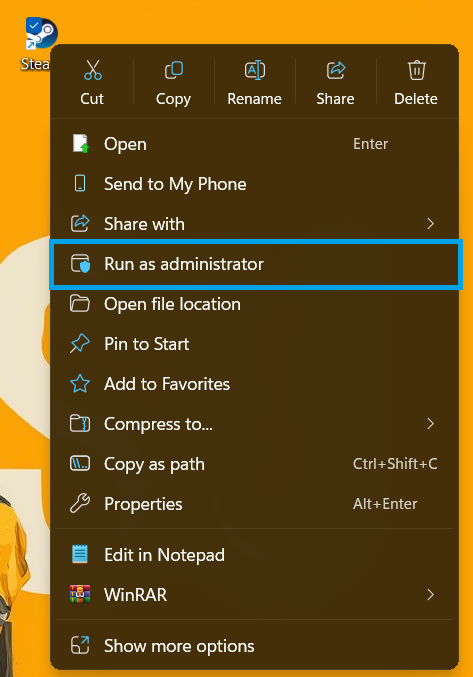
Then launch the game normally.
3. Repair EasyAntiCheat Manually
If EasyAntiCheat files are corrupted, running the setup tool in repair mode reinstalls and re-registers the service.
Some games use EasyAntiCheat_EOS_Setup.exe, others use EasyAntiCheat_Setup.exe.
- Open Steam → Library.
- Right-click the game → Manage → Browse local files.
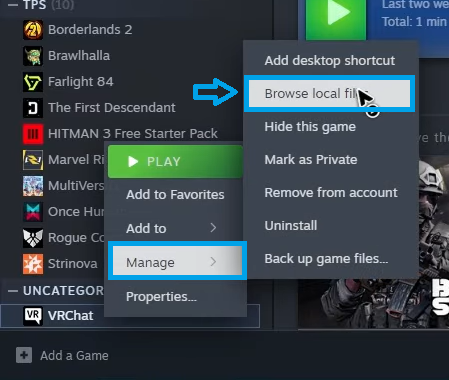
- Open the EasyAntiCheat folder.
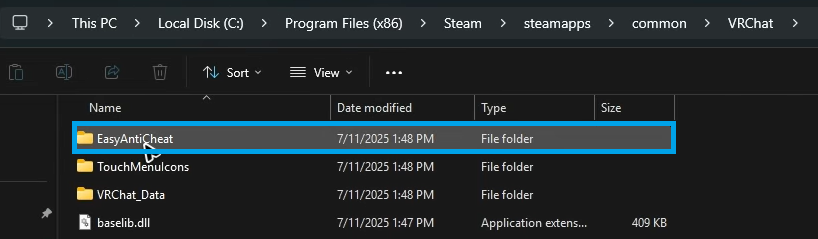
- Right-click the setup file → Select Run as administrator.
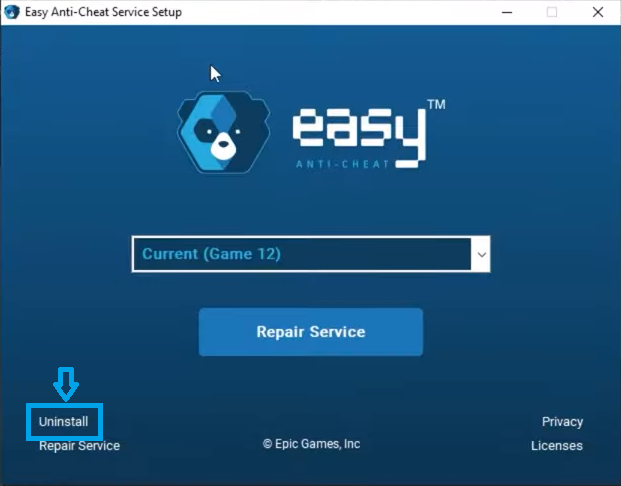
If the installer opens with options, choose Repair Service or Install.
If repair options do not appear, you can use a command argument:
"C:\Path\To\EasyAntiCheat_EOS_Setup.exe" repair
Make sure repair is added outside the quotation marks. Restart your PC afterward.
4. Check Antivirus or Windows Security Blocking
Security software may block EasyAntiCheat from writing files or installing its service.
- Temporarily disable third-party antivirus.
- Add an exclusion for the game folder and EasyAntiCheat folder.
- If using Windows Security, check Controlled Folder Access.
After testing, re-enable your security software.
5. Clean Reinstall EasyAntiCheat
If repair fails, remove EasyAntiCheat completely and reinstall it.
-
- Open the game’s EasyAntiCheat folder.
- Run the setup file.
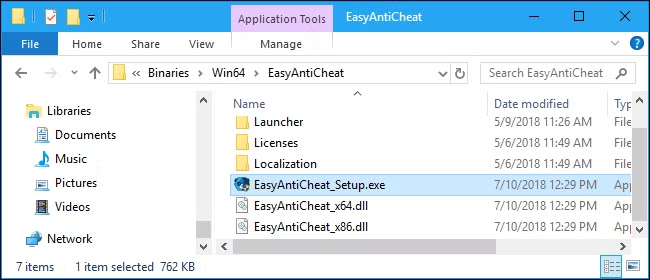
- Select Uninstall.
- Delete these folders manually:
C:\Program Files (x86)\EasyAntiCheat
C:\ProgramData\EasyAntiCheat
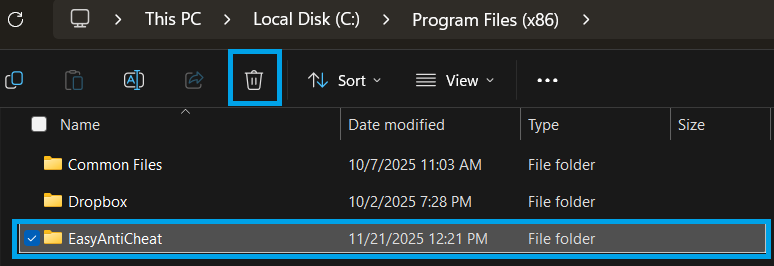
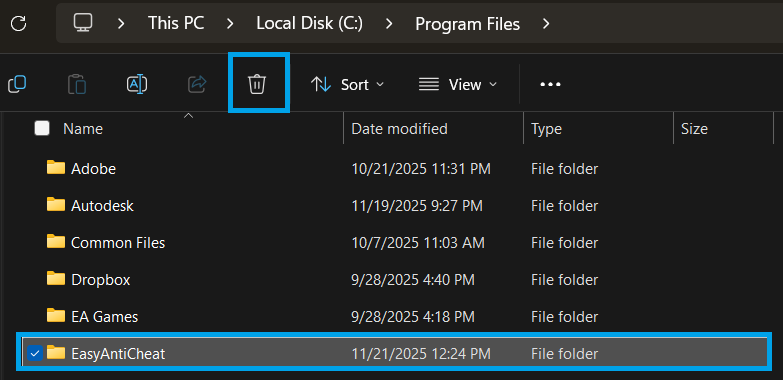
Note: ProgramData is a hidden folder. Enable View → Hidden items in File Explorer if you do not see it.
After deletion, verify game files or launch the game to reinstall EasyAntiCheat automatically.
6. Reinstall the Game (Last Resort)
Only reinstall the game if all previous solutions fail. This ensures a completely fresh EasyAntiCheat installation and restores all components.
After reinstalling, launch the game normally. If successful, EasyAntiCheat should initialize without errors.