How to Fix “DiscSoftLTD (Daemon Tools)” Error in Skate?
The DiscSoftLTD error with the message “This software cannot be used at the same time as the game”
typically appears when a game’s anti-cheat system detects specific third-party low-level drivers installed on your system. These are most commonly related to virtual drive software (such as DAEMON Tools) or
controller/input emulation tools (such as reWASD).
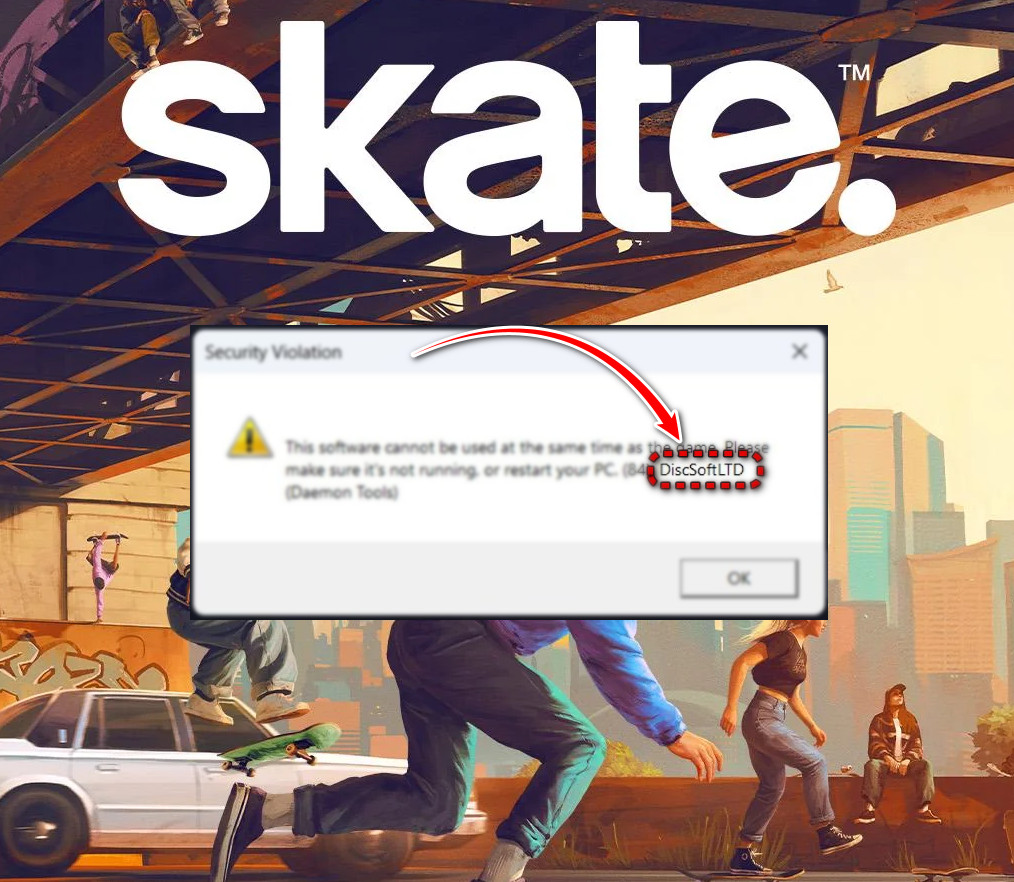
This issue frequently occurs in games that use modern kernel-level anti-cheat systems, including titles protected by EA Anti-Cheat (such as Skate, EA Sports FC, Battlefield titles, and similar multiplayer games).
Importantly, this error may appear even if DAEMON Tools or reWASD are no longer installed. Residual driver packages alone are enough to trigger detection, especially after a recent game or anti-cheat update that expands blocked driver lists.
Follow the solutions below in order. After completing each solution, restart your PC and test the game
before moving to the next step.
1. Completely Uninstall reWASD or Similar Controller-Mapping Tools
Applications like reWASD install virtual controller and HID mapping drivers. Since Disc Soft Ltd develops both reWASD and DAEMON Tools, these drivers often appear under the same provider name detected by anti-cheat systems.
- Close Skate, Steam, EA App, and any controller-mapping software.
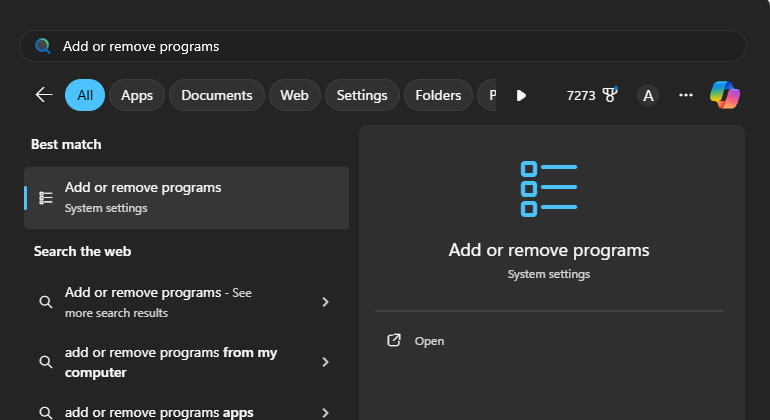
- Press Start, type Add or remove programs, then press Enter.
- Locate reWASD or similar controller tools.

- Click the three dots → Uninstall.
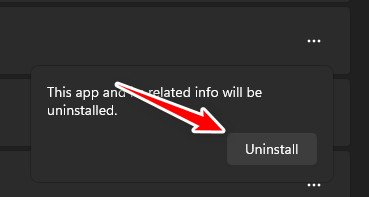
- Restart your computer to fully unload remaining drivers from memory.
- Launch the game again. If the error persists, continue to Solution 2.
2. Remove Leftover Disc Soft / DAEMON Tools Driver Services
DAEMON Tools installs low-level virtual drive services. Even after uninstalling the software, Windows may retain these services.
The service names below are common legacy virtual-drive drivers used by Disc Soft products. If a service does not exist on your PC, Windows will simply report it cannot be found.
Safety Note: These commands remove only Disc Soft–related services and do not affect Windows system drivers.
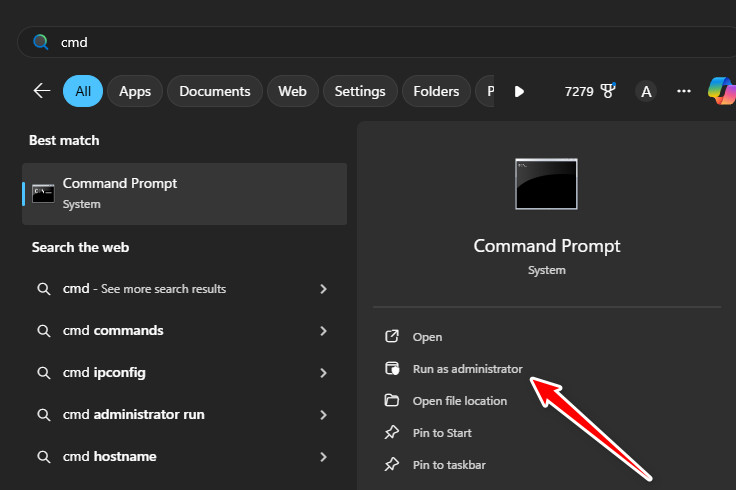
- Open Command Prompt as administrator.
-
sc stop dtsoftbus01
sc delete dtsoftbus01
sc stop dtscsibus
sc delete dtscsibus
sc stop sptd
sc delete sptd
- Restart your PC and test the game again.
3. Remove Disc Soft Ltd Drivers from the Windows Driver Store
The Windows Driver Store is a protected system location where Windows keeps previously installed driver packages. Even after uninstalling software, these drivers may remain available for reuse, and anti-cheat systems can still detect them.
- Open Command Prompt as administrator.
- Run:
pnputil /enum-drivers | findstr /i "disc soft daemon dtsoft dtscsibus sptd hidgamemap rewasd"
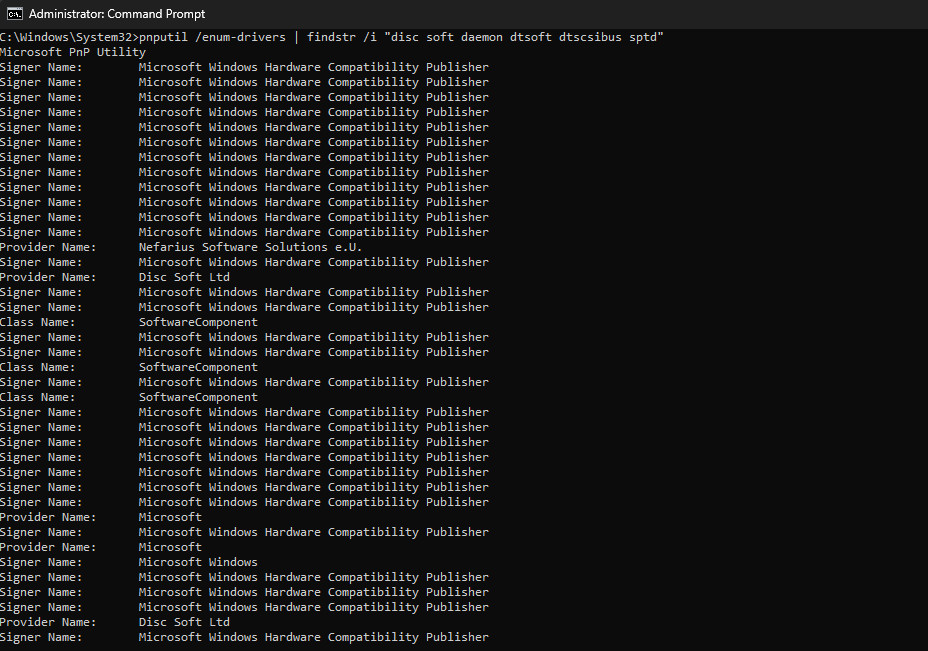
- If no results appear, your system does not contain leftover Disc Soft drivers.
Proceed to Solution 4. - Open PowerShell as administrator.
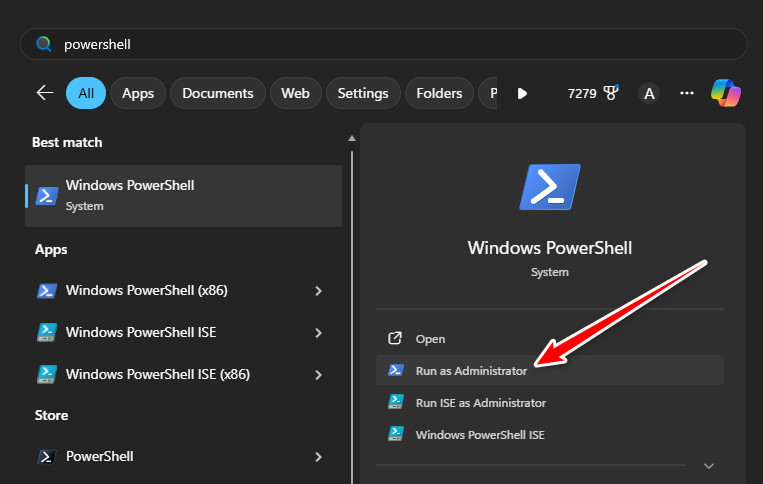
- This script removes only drivers whose provider is Disc Soft Ltd.
Windows hardware and system drivers are not affected.$blocks = (pnputil /enum-drivers | Out-String) -split "Published Name:" $infs = @() foreach ($b in $blocks) { if ($b -match "Provider Name:\s*Disc Soft Ltd") { if ($b -match "^\s*(oem\d+\.inf)") { $infs += $Matches[1] } } } $infs | ForEach-Object { pnputil /delete-driver $_ /uninstall /force } $infs - Restart your PC and launch the game again.
4. Remove hidgamemap Driver Using DriverStoreExplorer (GUI Method)
A commonly flagged component is hidgamemap, installed by reWASD and signed by Disc Soft Ltd.
- Download DriverStoreExplorer (RAPR).
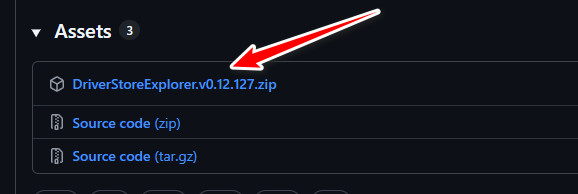
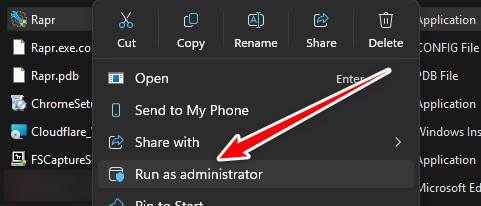
- Right-click rapr.exe → Run as administrator.
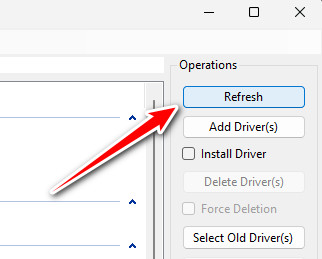
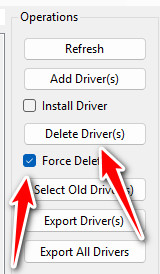
- Click Refresh.
- Locate entries where Provider shows Disc Soft Ltd.
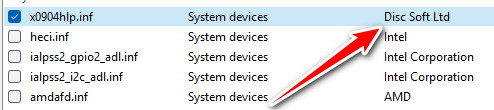
- Tick → enable Force Deletion → click Delete Driver(s).
- Restart your PC and launch the game again.
After removing Disc Soft Ltd driver remnants and restarting your system, the anti-cheat should complete verification successfully and allow the game to launch normally.
If the error still appears, temporarily disable third-party antivirus software and restart once more, as some security tools may automatically restore removed driver components.
As a final resort, reinstalling the game or its anti-cheat component can rebuild a clean verification environment.