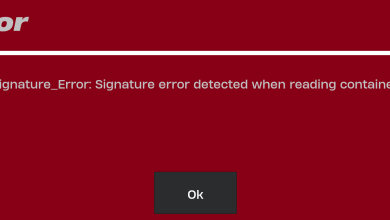
How to Fix Connection Errors in Skate.?
The error codes 1940161423, 3308673633, 852146987, 3967269002 & 1478078408 in Skate typically appear when the game fails to complete authentication or backend session validation during startup, matchmaking, or while connecting to EA services.
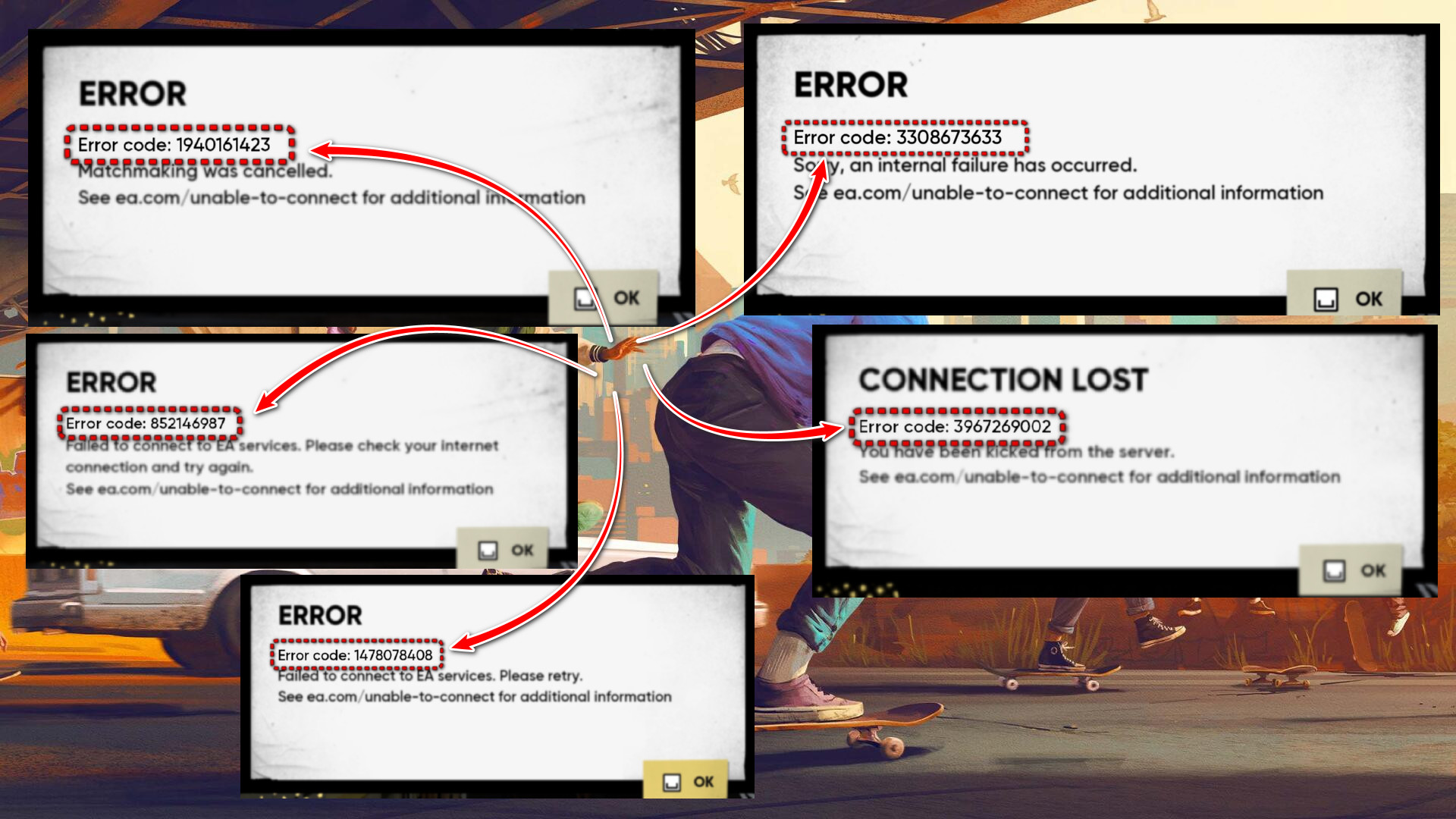
Although the on-screen messages differ, these errors are generally triggered by account verification failures, corrupted login tokens, service communication interruptions, anti-cheat initialization issues, or network routing problems that prevent the game from validating your session with EA’s servers.
Skate uses EA AntiCheat, which runs at a system level and must initialize correctly during launch. If it fails to load required services or drivers, authentication can fail and trigger one of the error codes listed above.
These errors can be triggered by:
- Steam and EA account authentication failure
- EA App login token corruption or session timeout
- Broken or incorrectly linked Steam ↔ EA accounts
- Corrupted or missing game files
- EA AntiCheat driver/service initialization failure
- Firewall or antivirus blocking required services
- VPN interference or IP region validation conflicts
- DNS resolution or router-level networking issues
- EA server-side outages or heavy backend load
Check community outage reports here: https://downdetector.com/status/skate/
If servers are under maintenance or experiencing heavy load, you will need to wait until EA restores service.
Common associated messages:
- 1940161423 – “Matchmaking was cancelled”
- 3308673633 – “Sorry, an internal failure has occurred”
- 852146987 – “Failed to connect to EA services. Please check your internet connection”
- 3967269002 – “You have been kicked from the server”
- 1478078408 – “Failed to connect to EA services. Please retry”
Even when messages reference matchmaking or being kicked from a server, the root cause is often failed backend session validation rather than a gameplay issue.
1. Restart EA App and Reauthenticate
Temporary login token corruption or stalled background services can prevent Skate from validating your EA session.
- Close Skate.
- Right-click the EA App tray icon and select Exit.
- Open Task Manager and end all EA-related processes.
- Reopen the EA App and log out of your account.
- Log back in and launch Skate.
2. Enable Steam Overlay (Steam Users Only)
If the Steam Overlay is disabled, the EA login prompt may fail to render properly before launch, interrupting authentication.
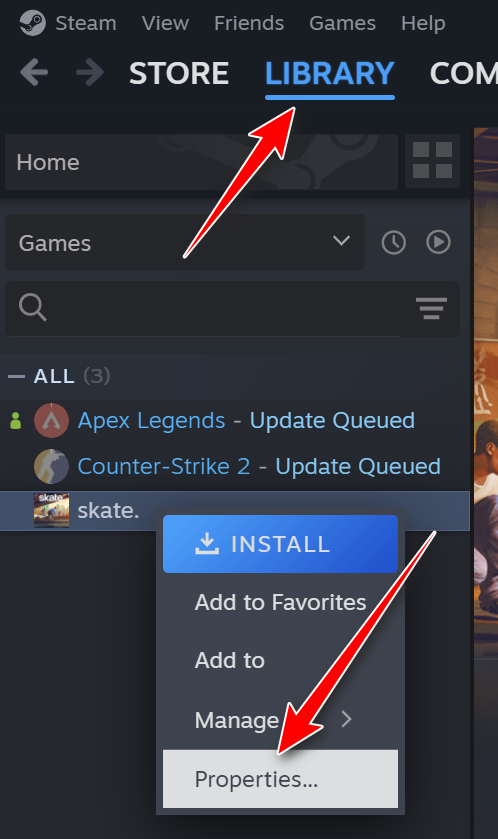
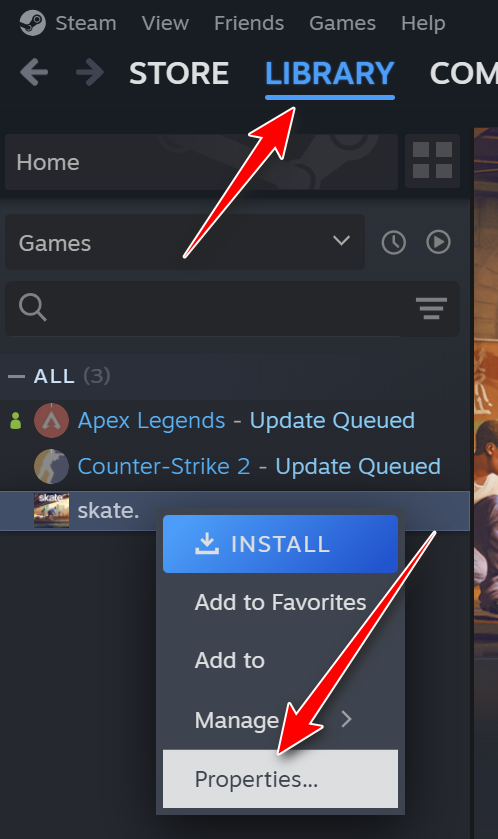
- Open Steam and go to Library.
- Right-click Skate and select Properties.
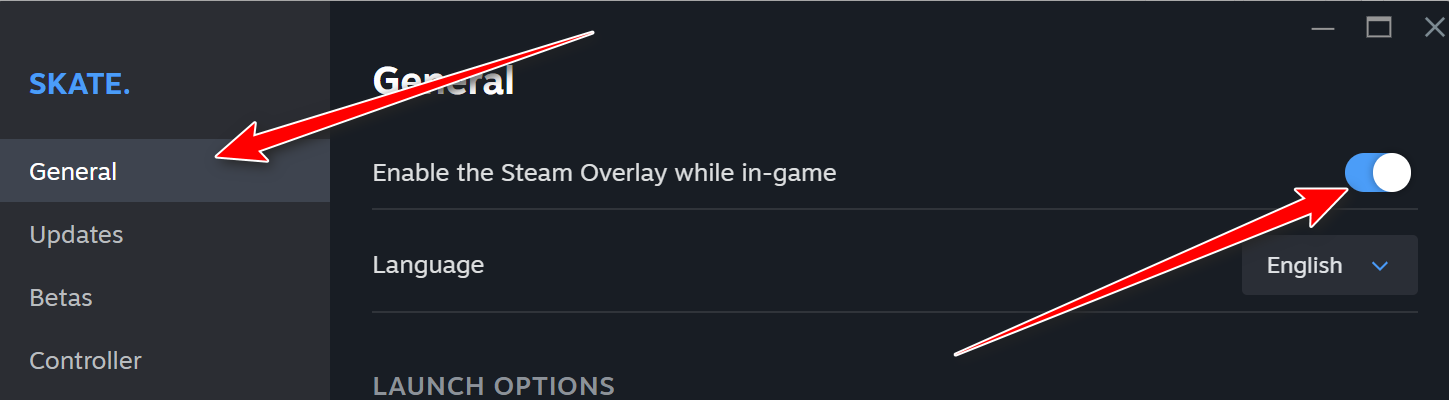
- Under the General tab, enable Enable the Steam Overlay while in-game.
- Fully exit Steam and reopen it.
- Launch Skate.
3. Verify Game Files
Corrupted or missing files can interrupt authentication modules or anti-cheat components.
- Open Steam and go to your Library.
- Right-click Skate → Properties.
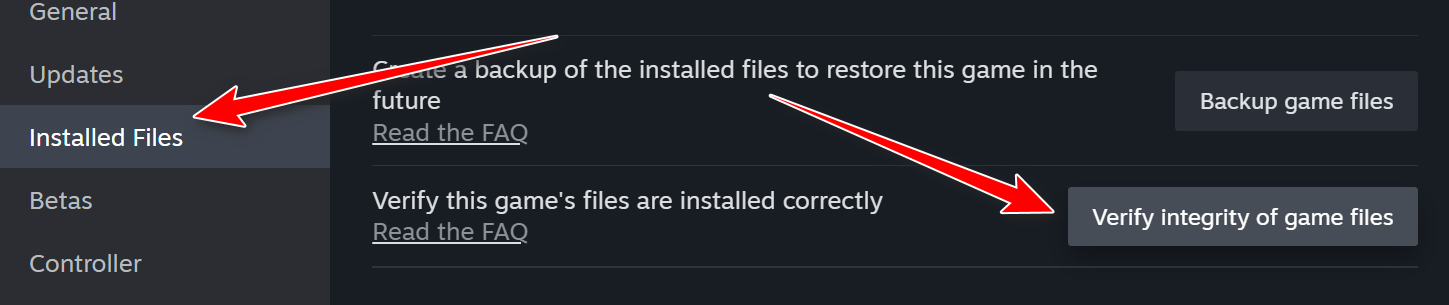
- Open the Installed Files tab.
- Click Verify integrity of game files.
- Restart your PC after the scan completes.
4. Ensure Steam and EA Accounts Are Properly Linked
If your Steam account is linked to the wrong EA account, authentication will fail.
- Go to your EA Account Settings page in a browser.
- Select Connected Accounts.
- Confirm the correct Steam account is linked.
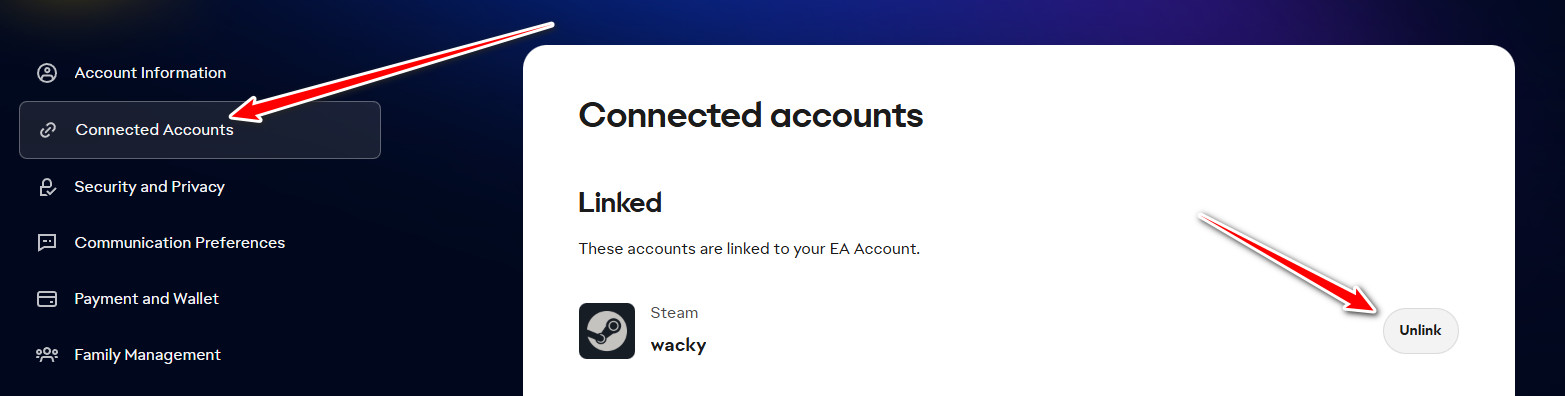
- If incorrect, unlink and relink the proper account.
- Restart Steam and the EA App.
5. Flush DNS and Reset Network Configuration
DNS corruption or routing cache issues can block EA authentication endpoints.
- Press Windows + X and select Terminal (Admin).
- Run the following commands one by one:
ipconfig /flushdns
ipconfig /release
ipconfig /renew
netsh winsock reset
- Restart your PC afterward.
Optional: Set DNS manually to Google DNS (8.8.8.8 / 8.8.4.4) or Cloudflare (1.1.1.1).
6. Disable VPN or Proxy Services
VPNs may interfere with EA region validation and backend authentication.
- Close Skate, Steam, and the EA App.
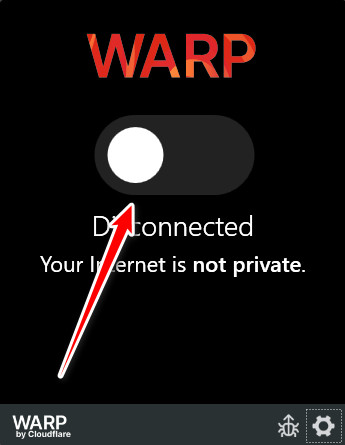
- Disconnect your VPN application.
- Disable VPN browser extensions.
- Restart your router.
- Launch the game without VPN enabled.
7. Remove Virtual Drive Software (If Installed)
EA AntiCheat may block systems running virtual disk drivers such as DAEMON Tools.
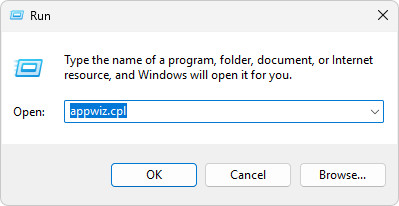
- Press Windows + R, type appwiz.cpl, and press Enter.
- Locate DAEMON Tools or similar software.
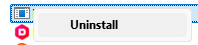
- Right-click and select Uninstall.
- Restart your system.