How to Check Your Appeal Options After Facebook Disables Your Account?
“We’ve suspended your account” replaces your Facebook feed even when your password is correct. The restriction applies to the account itself: you cannot use it, and other people cannot see its profile.
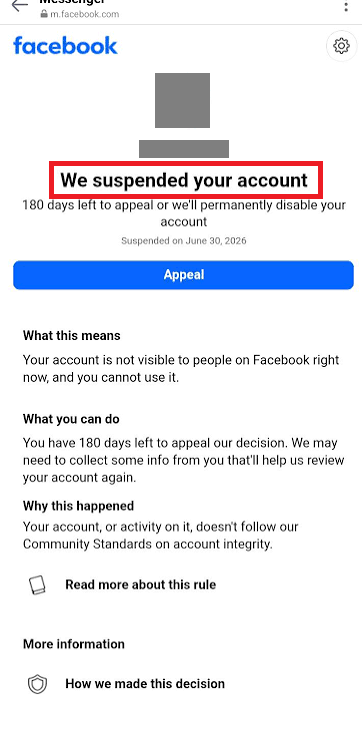
Facebook applies these restrictions when it believes an account or its activity breaks its rules, including rules about identity. The notice may also name a connected Instagram account. A mistaken decision needs a review; clearing the app cache cannot reverse it.
Read the Full Notice
Open the Facebook app yourself or type facebook.com into your browser. Check the message there rather than trusting a deletion threat sent by email or Messenger.
| What Facebook shows | What it means for your appeal |
|---|---|
| Appeal or Disagree with decision, with a deadline | Complete the review request before the date shown. |
| You submitted an appeal | Check for a decision or further instructions. An existing review is not a new submission to complete. |
| You can’t request another review | The ordinary appeal has ended. Check any remaining options in the decision; another ID upload is not automatically available. |
A Page, ad-account or monetization restriction is different if your personal account still opens normally. Use that feature’s review controls. An account you voluntarily deactivated is also different: it needs reactivation, not a policy appeal.
A missing or rejected sign-in code alone does not establish a suspension. For that screen, follow the Facebook login approval checks instead.
1. Submit the Appeal Offered on Your Account
The review button is your opportunity to challenge the decision, not a promise that access will return. Facebook may ask you to confirm ownership before it considers the appeal.
Facebook’s suspension guidance gives a general appeal window of 180 days, with regional variation. Follow your own notice’s deadline and submit promptly; waiting for that period to expire does not unlock the account.
- Sign in to the affected account through the official app or Facebook’s login page. Save the reason and any deadline. The linked-Instagram notice pictured below directs the appeal to Instagram instead of displaying a deadline.
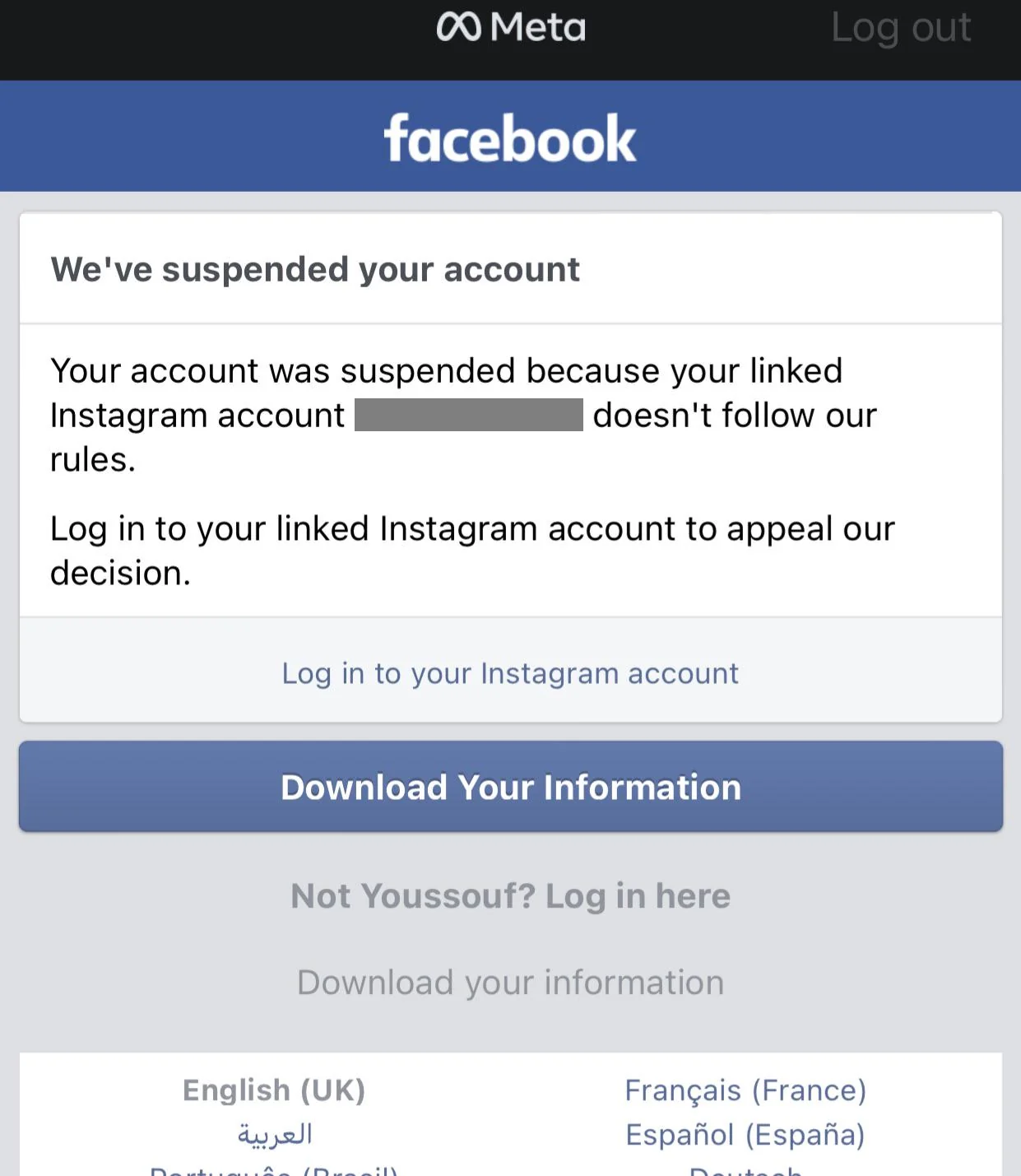
Use the deadline Facebook gives your account; appeal periods can vary by region. - Select Appeal or the review button shown. If Facebook directs you to your linked Instagram account, appeal there. If a text box appears, explain the specific mistake briefly and factually; a written statement is not always requested.
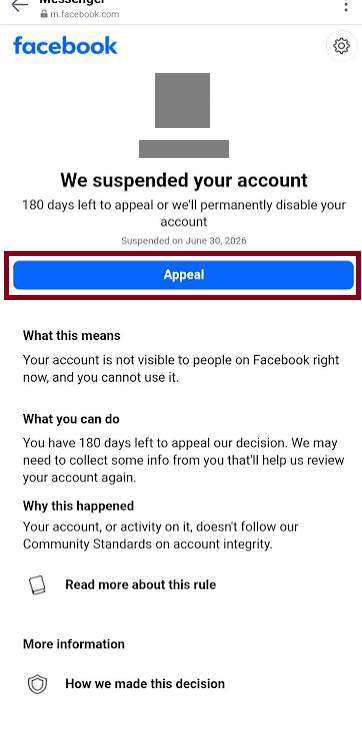
Continue from the decision shown when signing in. - Complete any requested email or phone check. Use a destination you control and keep it accessible for follow-up messages. Never send the code to someone offering to recover the account.
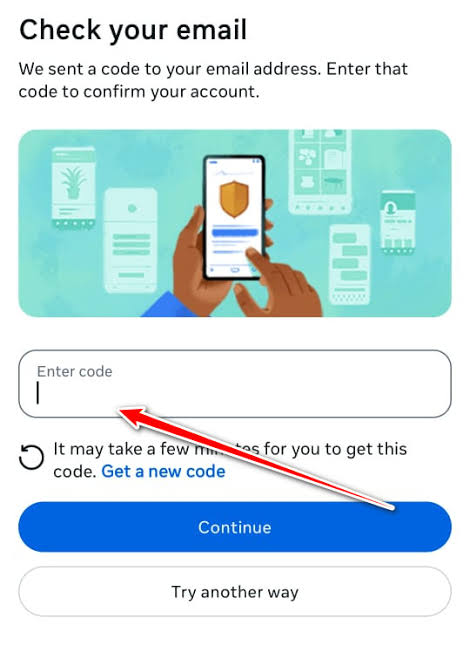
This step appears only when Facebook asks for it. - If a video selfie is requested, follow the camera instructions in good light with the camera at eye level. Use your own face. Not every appeal includes this check.
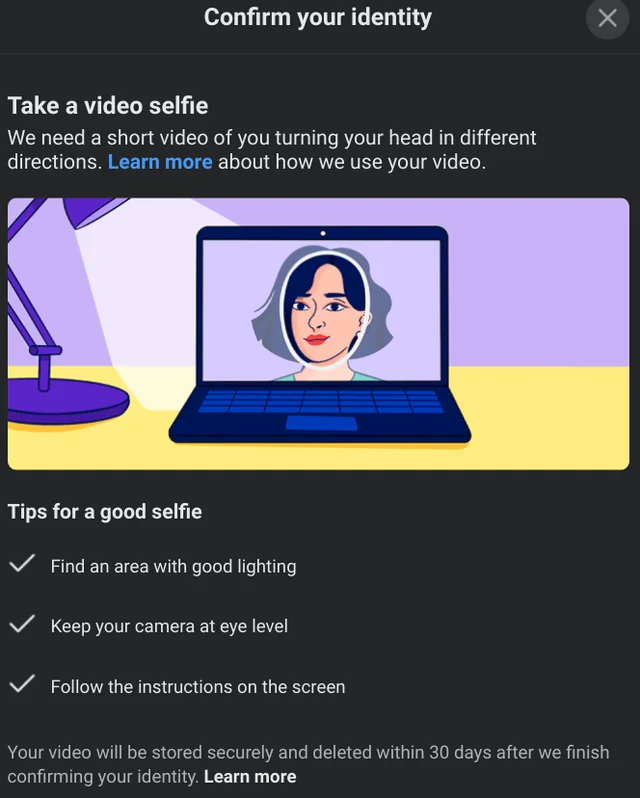
Verification options differ between accounts; use the check actually offered. - If Facebook asks for ID, read the accepted-document and privacy information before uploading your own document through that request. The document checks below explain how to avoid an unreadable or unsuitable submission.
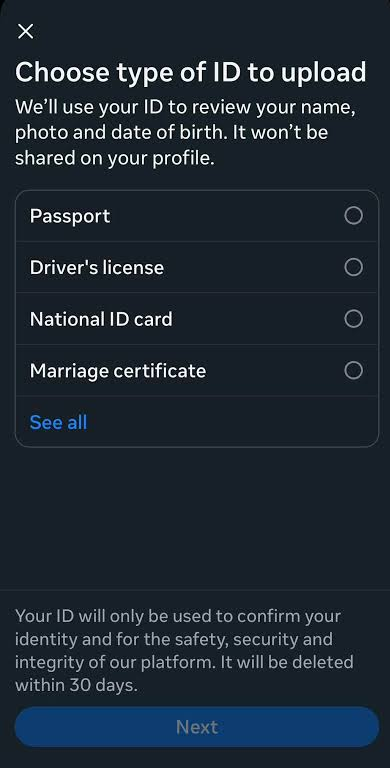
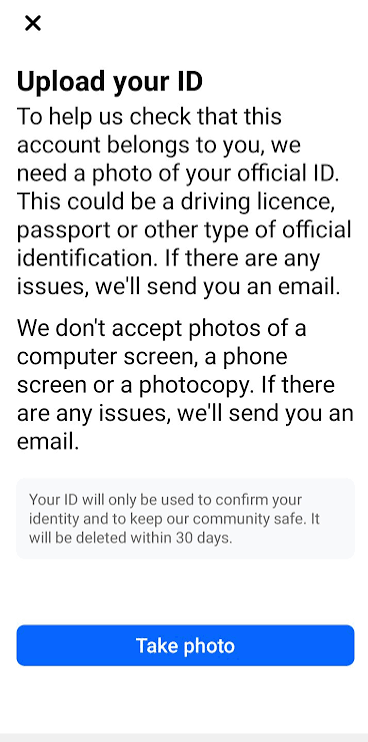
Send identity documents through Facebook’s official verification flow. - Finish the requested checks and save the submission confirmation and date. An Upload your ID screen, like the one below, is still an unfinished check, not an appeal receipt.
A submitted appeal is awaiting a decision; it does not confirm restoration.
Once Facebook confirms the appeal is under review, check the account and your contact inbox, including spam, for updates. Follow requests in that case rather than restarting the appeal. A rejection of the evidence needs different attention from a final rejection of the appeal.
2. Correct the ID Submission If Facebook Requests Another Attempt
An ID can be rejected because the photo is dark, blurred, cropped or missing required details. A clearer document can address that verification problem, but it cannot overturn a policy decision by itself.
- Return to Facebook’s request and read what it needs: a clearer photo, an accepted document or matching account details. Continue only if another submission is offered.
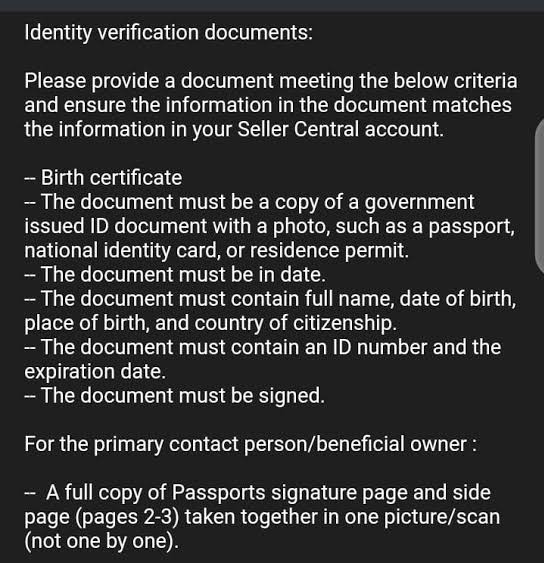
A request for another ID image differs from a final policy decision.
Check Facebook’s accepted ID documents against the particular request:
- Government ID: General identity checks accept one document showing your name plus your birth date or photo, such as a passport or driving licence.
- Non-government documents: Where allowed, provide two different accepted items showing the same name as your profile. At least one must include your birth date or photo.
- Age verification: Follow the stricter requirements shown. Facebook’s age-check guidance requires both a face photo and birth date.
- Photograph the original document in good light, with every edge and required detail readable. Avoid glare, screenshots, photocopies and digital alterations. If the rejection concerns a name or birth-date mismatch, another photo of the same details will not resolve it.
- Upload only the documents requested, check the preview and finish the submission. Save the acknowledgement rather than sending extra copies while it is pending.
Facebook allows you to physically cover non-essential information before taking the photo, but not digitally obscure it. Keep all requested details visible.
Check how Facebook handles your ID and the storage notice on your screen. Do not assume the 30-day wording in a screenshot applies to your request.
Accepted ID completes the identity check, not necessarily the appeal. Follow the case status and correct the specific problem if Facebook asks again. A final policy denial does not create another upload opportunity.
If the Appeal Is Pending or the Button Is Missing
Meta’s recovery and support hub explains its support options, including the Meta AI support assistant where available. Describe the failed control and retain any case or submission confirmation. Help Centre article feedback is not a substitute for an appeal acknowledgement.
An unfamiliar linked Instagram account or unexpected password or email changes may indicate compromise. Preserve the alerts and open Facebook’s hacked-account recovery, preferably on a device you normally use for Facebook.
The hacked-account recovery steps explain what unauthorized changes to check. Do not try to access a stranger’s Instagram account. Recovering control does not automatically cancel a suspension.
If Facebook Says the Decision Is Final
Facebook says an unsuccessful appeal or a missed appeal window can leave the account permanently disabled without another standard review. Severe violations may also lead to disablement without a prior suspension. Follow any additional options specifically included in your decision.
If you already have eligible access to Meta Verified support for the affected subscribed profile, ask whether support can investigate. Buying a subscription for another profile does not guarantee help with this one or reverse a final decision.
Give official support the notice, account identifier, submission date and relevant evidence of a mistake or compromise. Keep the case number. A case marked Received or Completed does not itself mean that account access has returned.
If Download your information is offered, save the available export. It does not reactivate the account or guarantee that every item is included.
Keep passwords, login codes and ID out of unsolicited chats. The Meta support assistant is a conversation you initiate through official services, not someone who messages you promising an unlock. Avoid paid recovery agents and replacement accounts created to evade enforcement.


