How to Fix WinRAR Error: “Next Volume Is Required”
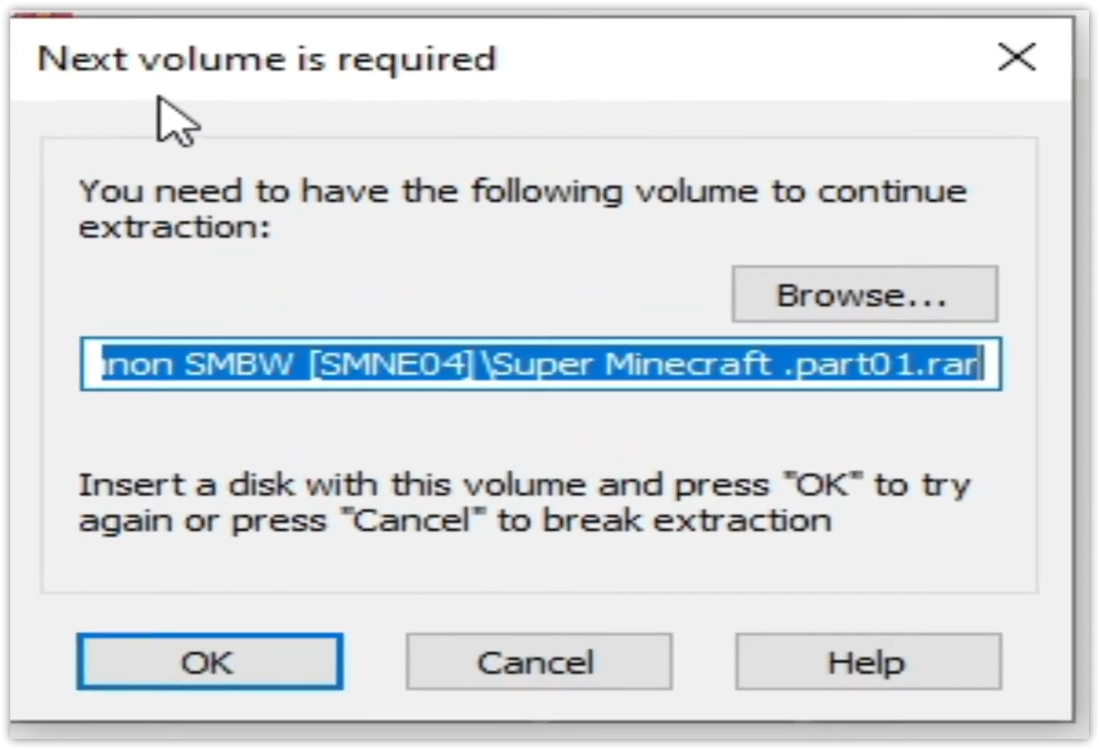
The error “WinRAR Error: Next Volume Is Required” usually appears when you’re extracting a multi-part RAR archive and WinRAR can’t find (or can’t correctly identify) the next file in the sequence. This often happens when a volume is missing, stored in a different folder, or renamed in a way that breaks the archive’s expected order.
In this guide, we’ll go over the most reliable fixes confirmed by affected users, along with what each method is doing behind the scenes so you can choose the right one for your situation.
Important: To extract multi-volume archives, you should always start extraction from the first file in the set. This is usually file.part1.rar, or (in older sets) the main .rar file that comes before .r01, .r02, and so on.
1. Download and Place the Missing RAR File
WinRAR needs all parts of a multi-volume archive to complete extraction. This error usually appears when one of the volumes in a set like .part2.rar, .r01, .r02, .001, and similar naming formats is missing. Downloading the missing volume and placing it in the same folder as the other parts allows WinRAR to continue extracting normally.
- Look at the error message or review the list of archive parts in the folder.
- Identify which volume is missing (for example, part2.rar, .r02, .001, etc.).
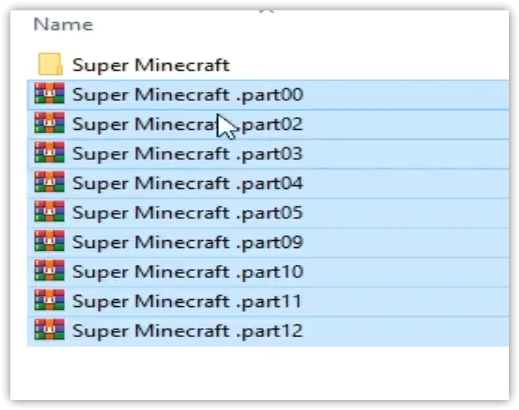
- Go back to the website or source where you downloaded the archive.
- Locate and download the exact missing file using the same naming format as the others.
- Make sure the new file name matches the pattern of the rest. Example: If you have file.part1.rar and file.part3.rar, the missing one must be file.part2.rar.
- Move the downloaded missing volume into the same folder as the other archive parts.
- Confirm that all parts are in a single folder before extracting.

- Right-click the first file in the series (usually part1 or the main .rar file) and select Extract Here or Extract to Folder.
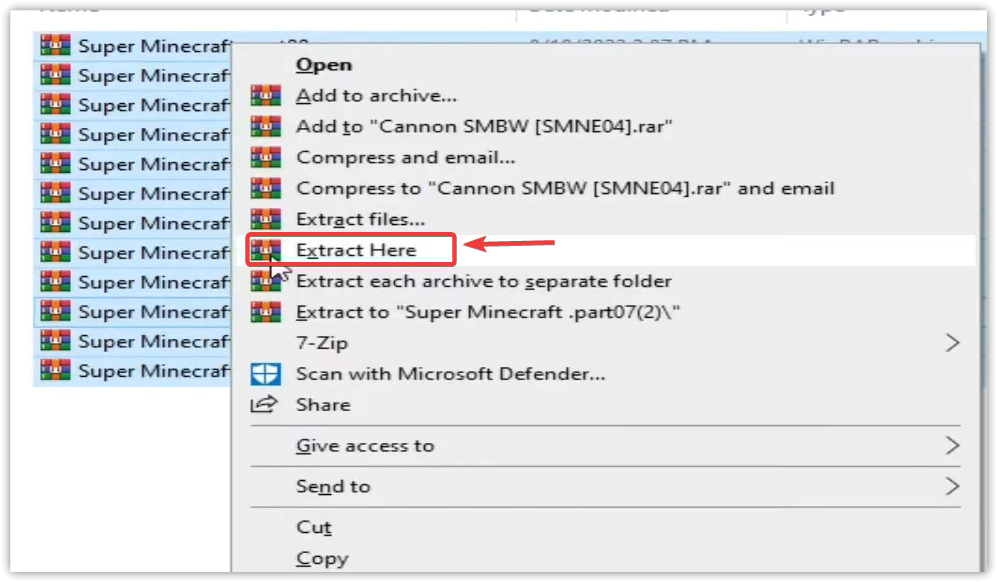
- WinRAR should now detect all volumes and continue extraction normally.
2. Manually Browse & Select the Next Volume
Use this method only if the next volume already exists, but WinRAR is failing to detect it automatically. This can happen due to incorrect naming, the file being in a different location, or a temporary file access issue. Manually browsing helps WinRAR locate the correct volume and resume extraction without interruption.
- Right-click the first file in the series (usually .rar or part1.rar) and select Extract Here or Extract to Folder.
- When WinRAR cannot find the next volume, it will show the “Next Volume Is Required” message.
- A small window will appear, allowing you to manually select the next volume.
- Use the file explorer window to locate the folder where the other archive parts are saved.
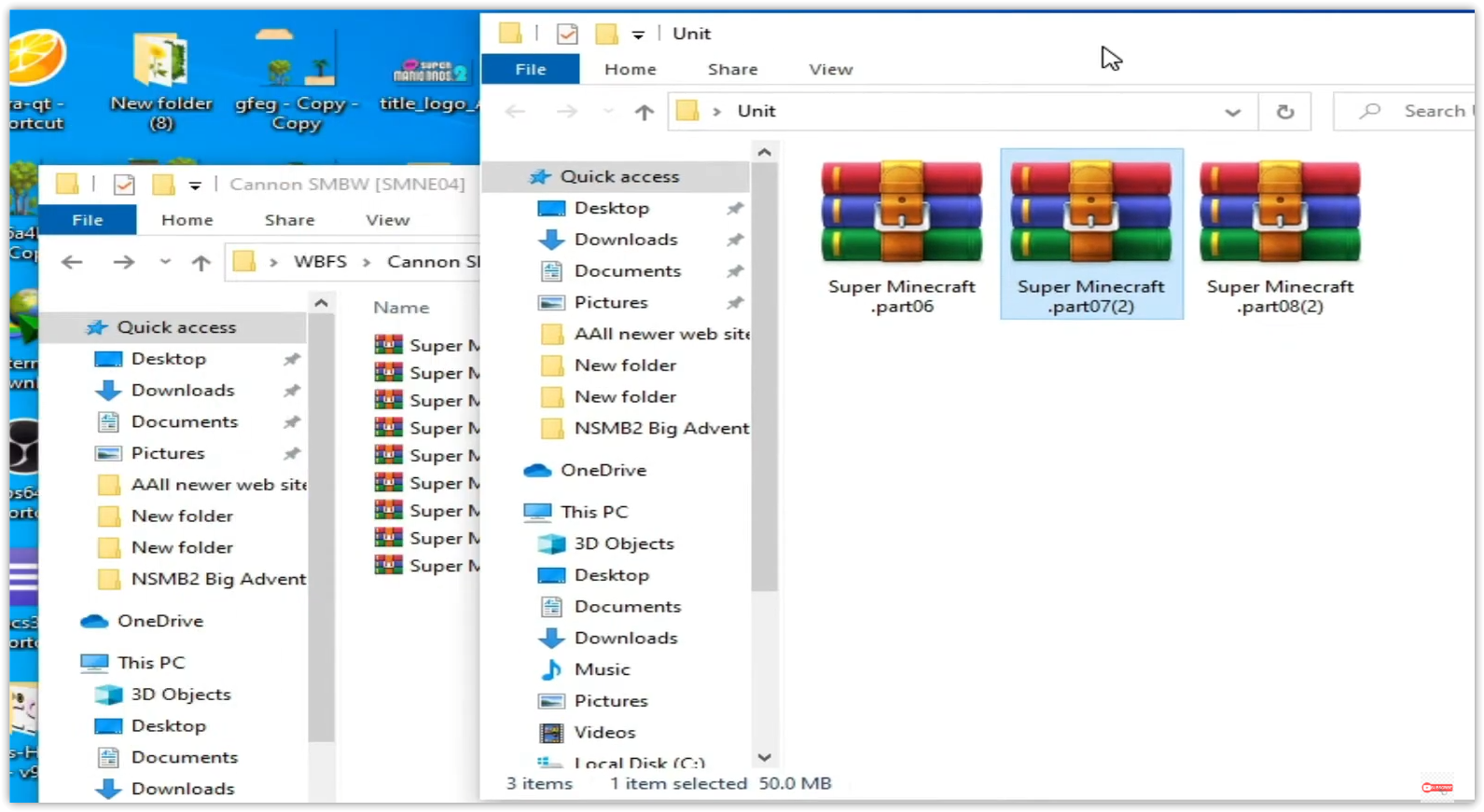
- Select the next part based on the naming order (example: select file.part2.rar after file.part1.rar).
- Make sure the selected file matches the naming format of the archive (no extra characters like (1) and no mismatched numbering).
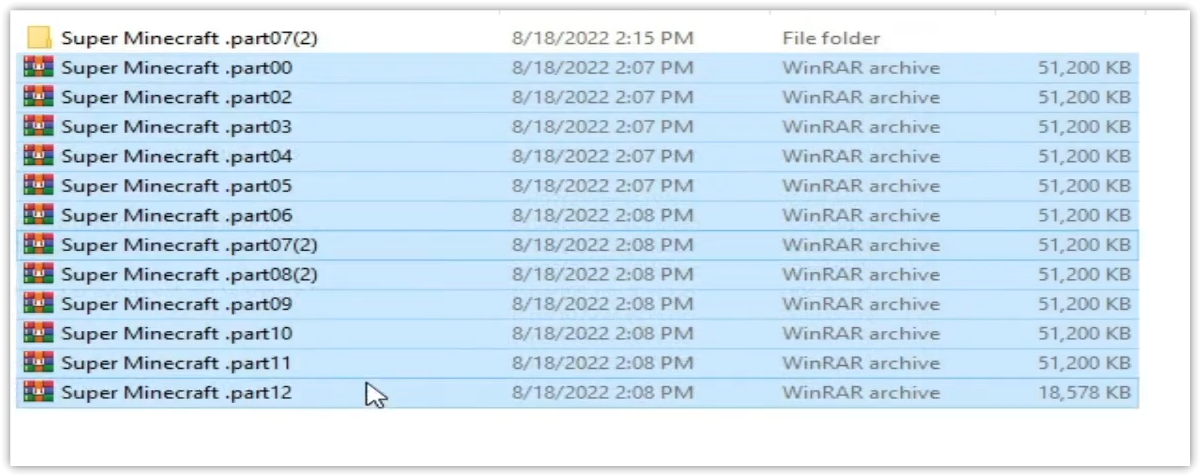
- WinRAR will resume extraction using the selected volume.
- If additional volumes are missing or stored separately, WinRAR may prompt you again. Repeat the same process until extraction completes.
3. Rename the RAR files in Order
WinRAR relies on a proper naming sequence (such as file.part1.rar, file.part2.rar, file.part3.rar) to extract multi-volume archives. If a file is named incorrectly, contains extra characters, or is out of order, WinRAR may fail to locate the next volume and show this error. Renaming the files correctly helps WinRAR follow the sequence and extract the archive without interruptions.
Note: Renaming only changes the file name, not the file contents. The goal is to restore the correct sequence so WinRAR can detect the next volume.
- Go to the folder where all the RAR files are saved.
- Make sure all parts of the archive are present and stored in the same folder.
- Check how the parts are currently named. Common patterns include:
file.part1.rar, file.part2.rar, file.part3.rar
file.rar, file.r01, file.r02, file.r03
- Look for files that don’t match the expected numbering pattern (for example, file.part01.rar, file.part1(1).rar, or unrelated names).
- Rename each file so it follows the same order without extra characters or mismatched numbering. Example:
Incorrect: file.part1.rar, file.part3.rar, file.part2(1).rar
Correct: file.part1.rar, file.part2.rar, file.part3.rar
- Make sure the text before the number is exactly the same for all files.
- Only the last part number should change.
- Right-click the first file in the series (usually part1.rar or the main .rar file) and select Extract Here.
- WinRAR should now recognize the sequence and continue extraction normally.
If you still get the same prompt: the archive set is likely incomplete (a part was never downloaded or was removed), or one of the volumes is corrupt and must be re-downloaded from the original source.