How to Fix a PS4 (PlayStation 4) Turning Off By Itself

A PlayStation 4 (PS4) turning off by itself often happens because of overheating, when fans or thermal paste aren’t working right. This usually occurs during long gaming sessions but can also happen when idle. The system shuts down to prevent damage. The most common cause is dust buildup inside the console, which affects cooling.
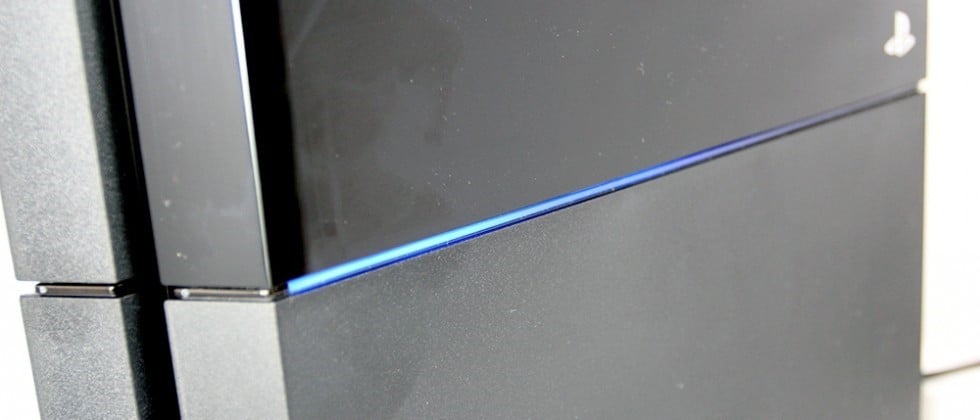
Additionally, a bad power supply, corrupted software, or a faulty hard drive may also lead to overheating and shutdowns.

In this article, we will discuss solutions to fix this issue.

1. Check the Power Connection

Before trying technical fixes, make sure your PS4 is getting proper power. A faulty power connection is a simple and often overlooked cause of unexpected shutdowns.

  1. Turn off the PS4 completely by pressing the power button for at least 7 seconds. It will beep twice to indicate it’s been completely turned off.
  2. Disconnect the power cable of the console from your electrical outlet.
  3. Check the power cords and all other cords connected to see if there is anything unusual. If you have any spares, replace your cables to verify if the problem is from the power connection. Also, check the various ports to see if they are clogged.

2. Check the Hard Drive

When fixing a PS4 that turns off unexpectedly, pay close attention to the hard drive. A faulty hard drive can cause data issues or system problems, leading to sudden shutdowns.

  1. Turn off the PS4 completely by pressing the power button for at least 7 seconds. Two beeps indicate it’s been completely turned off.
  2. Disconnect the power cable from the electrical outlet and the console. Remove any other cable connected to the console.
  3. Slide the Hard Disk Drive bay cover (the shiny part) out and away from the system to remove it.
  4. Check the hard drive to ensure it is properly seated and correctly screwed into the system. If you wish to replace it, remove the screw and swap the hard disk with a new one. Remember, you’ll need to install new system software onto the new hard disk.

3. Update the System in Safe Mode

To keep your PS4 running smoothly, updating the system in Safe Mode can be very helpful. This mode runs the console with minimal functions, which can fix software issues without interference from other applications.

  1. Get a USB stick with at least 400 MB of free space. The USB must be wiped, then create a folder called ‘PS4‘. Within this folder, create another one called ‘UPDATE‘.
  2. Download the latest PS4 update from here and copy it over to the UPDATE folder on your flash drive.
  3. Completely turn off the console, and connect the USB stick to the PS4 through one of the forward-facing USB ports.
  4. Hold the power button for at least 7 seconds. The system will boot into Safe Mode.
  5. In Safe Mode, select the third option, “Update System Software.” You will be able to follow the directions from there.

4. Prevent the APU Problem

The APU in your PS4 combines the CPU and GPU, and issues with it can cause the console to turn off unexpectedly. To keep it running well, clean dust from vents and apply fresh thermal paste. This helps with heat dissipation and overall performance, reducing the risk of overheating and improving system stability.

  1. Ensure your console is well-ventilated. Remove any objects blocking the air vents of the PS4.
  2. Provide extra cooling with a standing fan or an air conditioner.
  3. Avoid prolonged use of the console. Put it to sleep after hours of use.

5. Check Power Issues

Another reason your PS4 might turn off by itself could be power issues. Make sure the power cable is firmly connected to both the console and a reliable power source, as loose connections can cause power loss. Check the power outlet or use a surge protector to protect the console from electrical spikes.
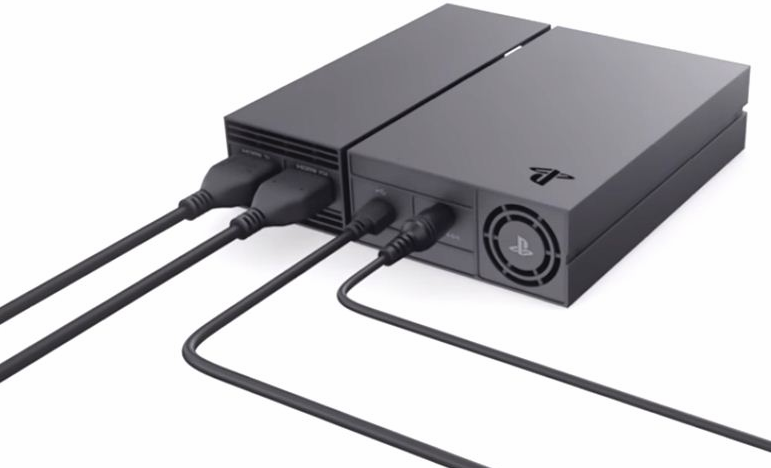
 

PS4 Power System

Note: Another situation where your PS4 might turn off is when another appliance or light switch gets turned on, causing a temporary influx that shuts the PS4 down.

6. Check Multiple Connectors

Before making repairs, check all connectors for hidden issues. Look at HDMI, power cables, and USB ports to see if a loose or damaged connection is causing your PS4 to turn off unexpectedly. A bad HDMI cable can disrupt the signal, and a faulty power cable can cause power interruptions. Making sure all connections are secure and in good condition can prevent power loss and improve system stability.

7. Switch to Cable Internet

Switching to cable internet can improve your PS4’s performance by providing a more stable and reliable connection than Wi-Fi. Cable internet reduces lag, minimizes data loss, and offers higher speeds, which are essential for online gaming.
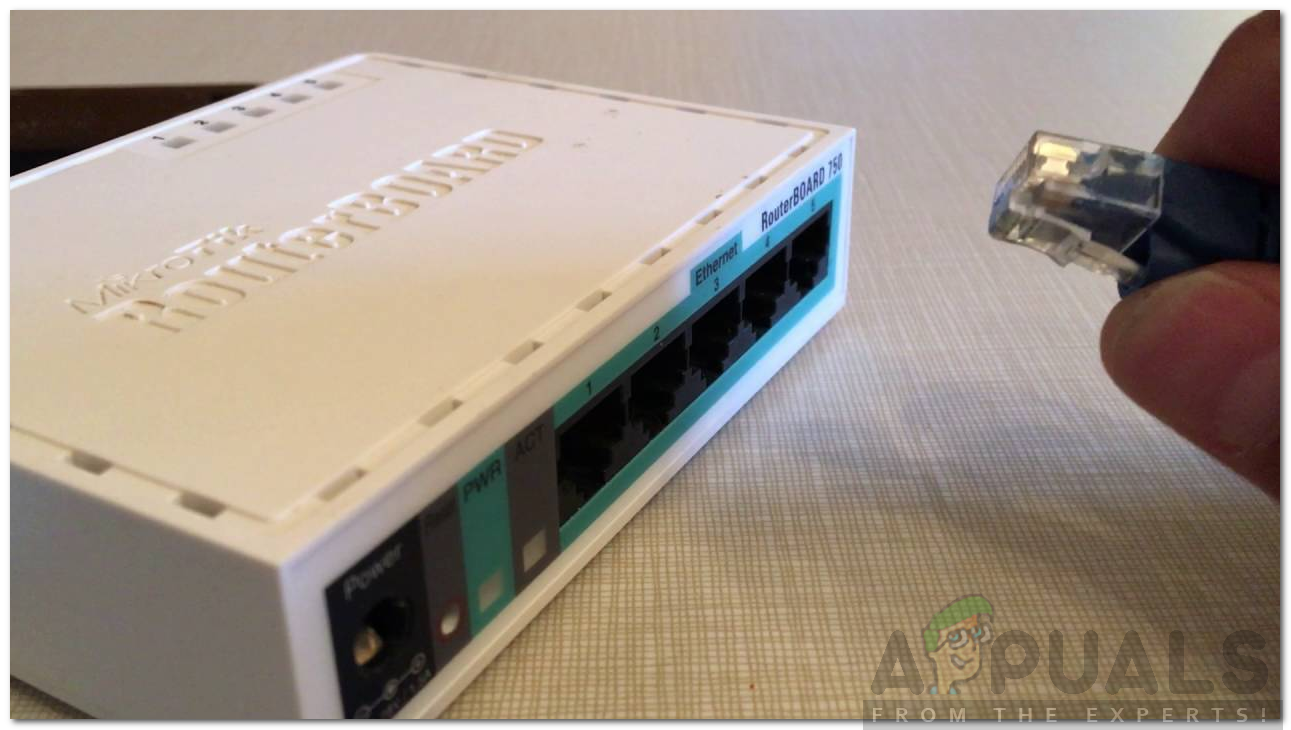
Ethernet Cable

There is a power cable at the back of your PS4. If you don’t have cable internet access, you can easily use a LAN cable to connect your router to your PS4. If the PS4 runs steadily on LAN internet, avoid using a Wi-Fi connection.

Note: You can also disable your Internet completely to test this solution.

8. Check for Hardware Problems

If none of the solutions work, it’s time to look into hardware issues that might be causing your PS4 to turn off unexpectedly. Start by checking the console for dust buildup, especially around the vents and cooling fans. Dust can block airflow, causing overheating, which often leads to shutdowns.

It is recommended that you do not attempt to check for hardware problems yourself; take it to a nearby Sony service center.

ABOUT THE AUTHOR

Kevin Arrows


Kevin Arrows is a highly experienced and knowledgeable technology specialist with over a decade of industry experience. He holds a Microsoft Certified Technology Specialist (MCTS) certification and has a deep passion for staying up-to-date on the latest tech developments. Kevin has written extensively on a wide range of tech-related topics, showcasing his expertise and knowledge in areas such as software development, cybersecurity, and cloud computing. His contributions to the tech field have been widely recognized and respected by his peers, and he is highly regarded for his ability to explain complex technical concepts in a clear and concise manner.

Comments

31
    RM
    Ramon Mendonça Aug 19, 2017

    Hi. I would like to know if the shuting off problem related to mortal kombat xl (sub-zero) is resolved with the system update in the safe mode.

    OH
    Omar Hisham Oct 22, 2018

    it couldn’t work guys plz help me when i open for example fortnite it stays like 3min and then it close by itself please guys anyone can help me?

    DE
    DenisCristian Oct 27, 2018

    My ps4 (slim) turned off randomly while being in the loading screen of fortnite then i tried to satrt it but with no results o waited 1 min and tried again and it work but it showed a message saying that it was software error. After it started normal so if yours turns off it moght be caused by a software error as well

      SB
      speedy boy Nov 13, 2018

      same here i turn it o and it shuts down 1-2 minutes after being on and iv done everything

    RK
    Rebecca Keelan Oct 29, 2018

    Hi Just wanting to know why does the system shut off by itself, we’ve done the system update, it was good for bout 10mins then completely shuts off. no blue death light. not over heating. prominent white light when on. its really annoying. power plugs in the socket in the wall. HDMI is good. Been trying alot of ways, its going great next minute it turns off?

    JE
    Jeromy Jan 16, 2019

    It’s got nothing to do with individual games. I have none of the games people talk about and mine does the same thing.

      SW
      Shane Warren Author Sep 20, 2019

      It is most likely a hardware issue

    W5
    walidadam 54 Aug 30, 2019

    Thank u mate for sharing ur knowledge, it fixed my problem. Thank god it was just the power connection nothing too serious. Thank you again.

    SW
    Shane Warren Author Sep 22, 2019

    Maybe there is a hardware failure, have you tried the steps indicated in the article?

    SW
    Shane Warren Author Sep 22, 2019

    Does it happen only for Fortnite? Maybe it is a hardware issue if it still doesn’t work after trying the methods indicated in the article.

      KE
      Keshawn Nov 18, 2019

      I think it does

        SW
        Shane Warren Author Nov 19, 2019

        Maybe try clearing the cache but that seems to be the last draw and if it is occurring for a specific game you can always contact the customer support and get it sorted out. But the turning off usually indicates a hardware problem.

    FR
    Florian Roeleveld Dec 25, 2019

    None of these “solutions” work

      SW
      Shane Warren Author Dec 29, 2019

      You might be facing a hardware problem in that case.

    SW
    Shane Warren Author Dec 31, 2019

    You can try the methods in this article, If they don’t fix the issue for you try to get it in for service because it is most likely a hardware issue.

    MH
    Melissa Hodges Jan 23, 2020

    I have noticed that my ps4 is a pile of junk i dont have the shutting off issue while playing destiny 2 on pc on ps4 it works great for about 1- 2 hrs then bam right in the middle of a match it shuts off no lights nothing ive tryed everything on this list so i seem to be better off using the ps4 as target practice and unless they want to make a ps4 ect with oh i dont know a ssd or better products and not half a$$ put there products together or at least offer to fix the issue since sending for repair service in my area is not going to happen and im sure everyone complaining is tired of throwing money in to there system for the same crap components and hard dr
    ives ect so is there anything else us agrivated people can do to fix this crap?

      SW
      Shane Warren Author Jan 23, 2020

      The only other thing you can try is to get it in for service but since you are already fed up of that i wouldn’t recommend it.

    DC
    Devin Cook Jan 25, 2020

    I’ve did all the steps from initialization to rebuilding my database my game doesn’t overheat but it continues to freeze during all my games and power off by itself I’m very frustrated with my console and I’m lost at this point.

      SW
      Shane Warren Author Jan 30, 2020

      A hardware issue most likely

    AW
    Adam Wright May 1, 2020

    Got an issue. I know i need to clean inside. But lately it on for a lil while then shuts off when it shuts off if i go to turn on lights up then shuts off right away. Its like a overheat issue that causes maybe a supply issue any thoughts?

      SW
      Shane Warren Author May 5, 2020

      Most likely a power supply issue since it is turning off and on again and again. Your best bet at this point is to just get it in for service.

        AW
        Adam Wright May 5, 2020

        Yea its what i was thinking i took it apart at work to clean it it was very dirty. Ever since it seems to be working fine. If it does it again ill replace power supply. I think i damaged the bluetooth antenna tho by accident controler is flaky unless tethered luckily thats a $5 part so ill have to replace that.

    SH
    Shafik Jun 23, 2020

    May problems is sum game working and sum game work 5 minutes over may PS4 slim sadanly shutdown

      SW
      Shane Warren Author Jun 23, 2020

      if the PS4 shuts down, first of all, try all these solutions one by one. If none of them fixes your issue, try getting it in for service because it is most likely a hardware fault.

    QM
    Quinn Moon Sep 6, 2020

    My ps4 keeps shutting down. And can’t be hot, its been off for at least 4 hrs

      MZ
      Muhammad Zubyan Author Sep 6, 2020

      Have you tried all the methods/solutions shown above? if not please try them they might fix your problem. If you have tried them all and none of them helped sadly it seems to be a Hardware issue that needs to be repaired.

    KY
    KyleD Nov 27, 2020

    Hey mate. Sorry for being late to the party. My ps4 slim is roughly a year old, and it was only this month (November) that it suddenly wouldn’t start up. It just beeps as usual, blue light on button turns on, then everything turns off again after less than a minute. After it turns off it won’t even light up unless i unplug the cable and plug it in again. I can get it to work again by plugging and unplugging for a few minutes (up to 20 minutes). This has happened around 5 times already in November alone. I notice this happens when I’m not able to at least turn on the system before 24 hours pass, although I’m not really sure. Any ideas?

      MZ
      Muhammad Zubyan Author Nov 27, 2020

      Try this:-

      1. First of all try to open the boot menu of your PS4 you can do that by holding the PS Button on the console for 7 seconds.
      2. Once the boot menu is opened, Connect your DS4 Controller with a USB cable to your console.
      3. Now with the help of your Analog keys scroll down to update and press the X button now scroll to update over the internet and press the X button.
      4. Now once it has updated the console will restart itself…

      Hopefully, this will work…

      Reply
    CW
    Cody Wilmot Jan 27, 2021

    I have 2 ps4. My main one had shut off randomly one night so I thought it may be dead. So I bought a used one plugged it in and it worked fine for a couple days then it had the same issue. Now I can plug one in and it shut off then try the other and it shut off same issue. Unplugged power plugged back in and it turns on. Load into a game and it shuts off. I’ve replaced hdmi used a different power supply and both ps4 shut off. I use an external hard drive for more space and my headset is wireless so both usb are plugged in. I’ve tried to unplug those and same issue it shuts off on both PS4. I’ve tried everything but I find it very weird two different PS4 are having the same issue. Need help please

      MZ
      Muhammad Zubyan Author Jan 27, 2021

      If none of these fixes your issue, try getting it in for service because it is most likely a hardware fault. It’s possible that your PS4 is shutting down because of overheating please check if your PS4 is overheating or not if it is overheating try to get your PS4 cleaned by a proffesional.

    SA
    Samuel Feb 27, 2021

    I’ve had this PS4 for a couple of years, and I never once experienced these kind of issues. But nowadays my PS4 has been lagging really bad. It’s been lagging so bad that sometimes the power button doesn’t even work for a while. If it continues lagging, it usually shuts itself off. But sometimes, even if the game or PS4 is doing alright, the PS4 shuts off by itself, as if it had been unplugged mid game. When I try turning it back on, while it starts loading up, the power goes off again. After this, the PS4 goes through the restart process that usually happens after someone unplugs it. But even restarting doesn’t work that well. Most of the time after it begins restarting, the PS4 never manages to come back on. I have to restart it multiple times to even get a chance at getting it to work.