The Complete Workflow for Social Creators: Enhance, Caption, Generate & Publish with Vmake
Short-form and social video content currently dominates the attention of audiences on platforms such as TikTok, Instagram, and YouTube Shorts. As a result, creators are under pressure to churn out top-notch videos very quickly. Editing, enhancement, adding captions, and visuals, if done separately, can be a drag on your pace.
This article reveals how Vmake AI Video Upscaler can simplify the whole creator workflow, from improving video quality and content generation to auto-captions and quicker publishing with the help of AI-powered tools that are made specifically for talking videos. Thanks to the one-click features and no difficult learning curve, Vmake enables creators to transform their ideas into polished, studio-quality content in less time. Let’s explore further!
The Changing Landscape of Social Content Creation
The rapid rise of TikTok, Instagram Reels, and YouTube Shorts popularity has made speed a crucial factor for content to go viral. Creators need to constantly update themselves with the ever-changing trends while still holding up quality and being consistent. Still, many of them have different apps for different tasks such as editing, adding captions, removing watermarks, and generating content; thus, their workflows are interrupted and they lose their creative focus. The intensifying complexity of the issue points to the necessity of a single AI environment that can smooth the points of resistance.
Enhance: Polish Raw Footage with AI
Why Enhancing Matters for Social Platforms
Essential to the well-being of social videos and persuasive communication are the perfect visuals, as better clarity and sharpness naturally bring about more engagement, retention, and satisfaction on the part of the viewer. Nevertheless, a number of creators simply start with not-so-perfect footage, which might be shaky phone camera videos, old clips, or artificially generated videos. The key is to enhance such videos before making them public if they want to attract the audience’s attention from a variety of feeds.
Vmake’s AI Video Enhancer
AI Video Enhancer by Vmake greatly reduced the steps involved in this process and was able to produce very high-standard results with just a few clicks. Users can now convert small resolution videos to 2K, 4K, or even 4K+ powered by AI video quality, reduce shaking, enhance faces, and bring back original textures for a final look in a film style.
Key features:
- AI Video Editing & Enhancement: Get ready to change your blurred and noisy videos into sharp and clean ones right away.
- Portrait & General Modes: Remove facial irregularities, enhance small details, and keep the skins look natural.
- Super Resolution & Smoother Motion: Enhance the quality of your old videos with extra frames for smooth playback.
- E-commerce Mode: Bring back your product images with accurate reconstruction of the texts and textures.
- Privacy & Accessibility: Working in a secure browser- based environment with no downloads or signups required for any device.
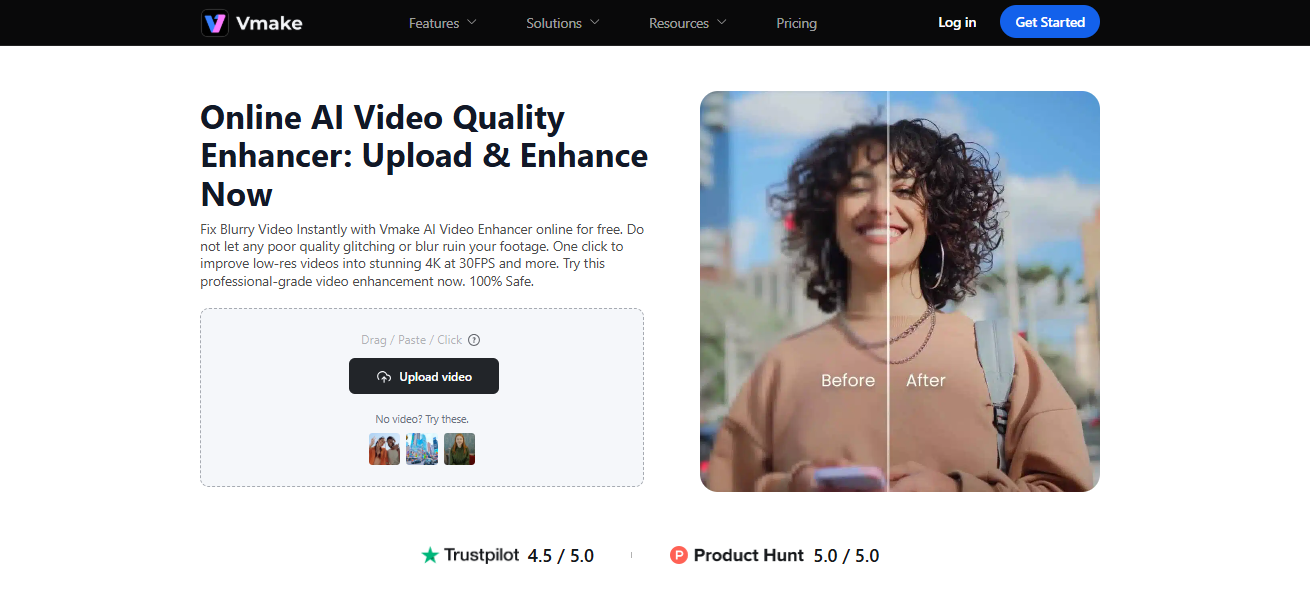
Vmake allows creators to transform regular or imperfect footage into scroll-stopping videos that not only look polished and professional but also are social platforms.
Pro Tip: Start your social content workflow at this point, beautiful images grab the eye before the audience scrolls past.
Caption & Transcribe: Boost Accessibility and Retention
The Importance of Captions
On social platforms like TikTok, Instagram Reels, and YouTube Shorts, where videos usually start without sound because of autoplay, captions help a lot. Titles serve as an accessibility aid to everyone besides that, they also encourage longer watch times and better SEO results.
How Vmake Handles Captioning
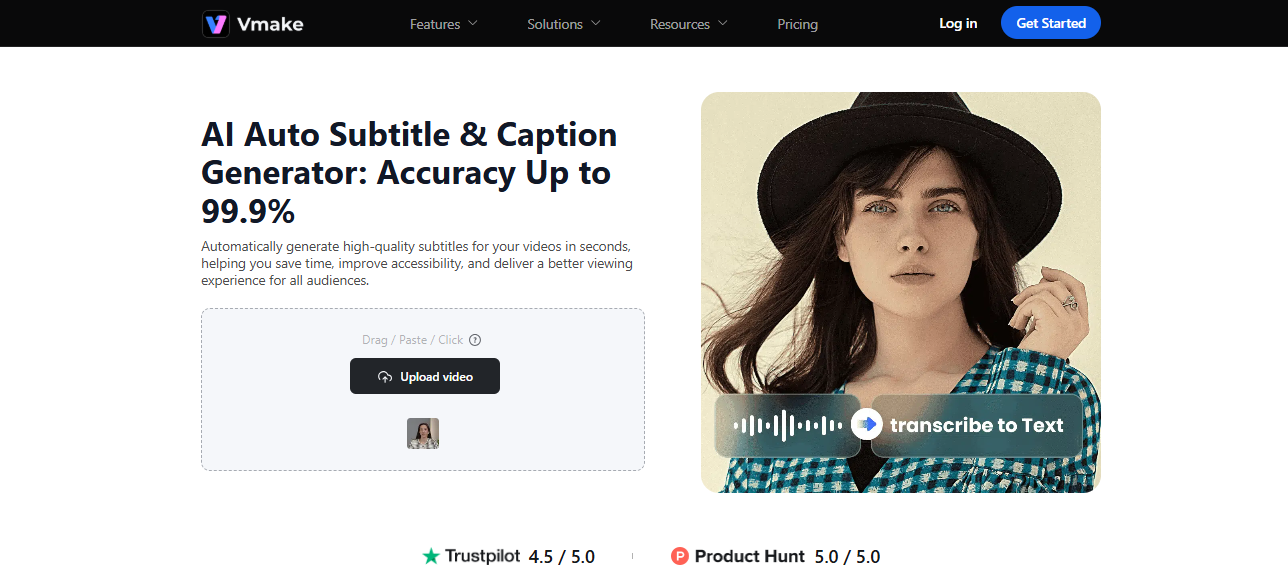
It can take hours to transcribe videos manually, but Vmake’s AI Auto Caption tool is there to help. With quick, precise transcriptions and subtitles to personalize, content creators can get their content to more people in less time.
Key features:
- Quick and Precise Transcription: The AI assistant produces subtitles with an accuracy level of 99.9%, and the timings are perfectly in sync with the speech.
- Flexible Captions: You can alter the font, style, and color so that it is compatible with your brand or the vibe you want to give.
- Language support: Provide captions in over 100 languages to increase the number of viewers worldwide.
Generate: Create New Content Quickly with AI
AI Generation: Creativity on Demand
Many social posts don’t initially come from video footage; generally, they are just an idea or concept. Creators who use AI generation tools can change text, images, or prompts into engaging, highly shareable videos within a few minutes without having to use complex software or undergo long production cycles.
Vmake AI generation tools
- AI Video Generator: Make short and lively videos out of your text, pictures, or already existing videos. Choose from a variety of styles: cinematic, manga, etc. Set the length (1, 15 seconds) and pick from advanced AI models like KLING, MiracleVision, or Seedance for the video creation.
- AI Image Generator: Use your written description to create beautiful, original pictures, or change the look of an existing photo by using Text-to-Image or Image-to-Image features; capable of high-definition download and quick video animation.
- AI Animation: Get storyboards, characters, and the entire animated video from the script along with subtitles, voiceovers, and music.
- AI Thumbnail Maker: Use smart frame selection, design templates, and multi-platform resizing to create scroll-stopping thumbnails in a snap.
Practical Workflow: From Idea to Published Post
Successful social creators focus on daily systems, not scattered tools. A typical content day with Vmake might look like this:
- Morning, Ideation & Prep: Jot down a quick story or a hook to start with. If there is no footage, you can make visuals or get help from AI to make intro clips.
- Midday, Production & Enhancement: You can simply film what you want to say or the screen pieces with your phone. To make the video better, all you need to do is just put the raw footage on Vmake’s AI video enhancer, and the program will automatically perform the operation of adding clarity, lighting, and sharpness, and you won’t have to do anything.
- Afternoon, Optimization: Very easily produce captions, totally sync them, and give a neat and professional look by removing any distracting logos or text.
- Evening, Publish & Repurpose: Export clips in a format ready to be used vertically and post them on TikTok, Instagram Reels, and YouTube Shorts. One single, streamlined workflow can be used to repurpose your content seamlessly across multiple platforms.
Why This Workflow Is a Winner for Social Creators
Through the integration of video enhancement, cleaning, captioning, and AI content generation, the single platform Vmake helps creators save their time and effort. It makes it possible for anyone to create professional-quality content without advanced editing skills.
Conclusion
Creating social content with a fantastic eye to catch attention does not have to involve a lot of errands that need to be done or require a lot of time. If creators make each step simpler, from just upgrading the original footage, making visuals, to adding captions and publishing, then they are really free to do the two most important things: telling a story and engaging their audience.Vmake integrates all these features in one AI-automated platform thus making it possible for anyone to create high-quality, professional videos quickly.