Best AI Detector Free Tools in 2026: What You Should Actually Use
AI writing tools are now part of daily life. Students use them for essays. Professionals use them for emails. Marketers use them for blog drafts. Many people search for an AI detector free tool before submitting or publishing content because of this change.
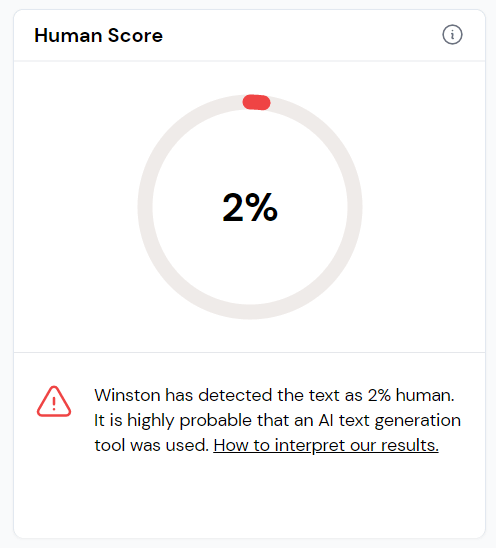
You may want to double-check your assignment. You may want to confirm that the edited content still looks natural.
This guide will help you understand which free tools are worth trying in 2026, how they work and where they fall short.
What Is an AI Detector?
An AI detector analyzes text and estimates whether it was written by a human or generated by an AI system.
It studies patterns such as:
- Sentence predictability
- Repetition
- Vocabulary choice
- Structure consistency
The tool then produces a score. Some show a percentage. Others label content as “human,” “AI,” or “mixed.”
These systems rely on machine learning models trained on both AI-generated and human-written samples. They do not read meaning the way you do. They calculate probability.
No detector is perfect. Free versions are even more limited.
Why “AI Detector Free” Is So Popular
Most people searching for AI detector free tools want one of these:
- A quick check before submitting homework
- A way to test content created with AI
- Basic detection without paying
You may also use editing tools like a grammar checker to clean up mistakes. You may shorten drafts with a summarizer. You may adjust awkward lines with a paraphrasing tool.
After editing, you may worry about how the content appears to detection systems. That is when free tools become useful.
Top AI Detector Free Tools in 2026
Here are the most widely used options offering free access.
1. GPTZero (Free Tier Available)
GPTZero remains one of the most recognized detection platforms.
The free version allows limited word checks per month. It provides sentence-level highlighting and an overall probability score.
Why people like it:
- Clear breakdown of flagged sentences
- Mixed human and AI classification
- Easy interface
Limitations:
- Word caps on free access
- Full reports require a subscription
This tool is helpful if you want more explanation than just a number.
2. QuillBot AI Detector (Free Basic Option)
QuillBot includes AI detection alongside its writing tools. The free version works for shorter texts without a mandatory sign-up.
Strengths:
- Simple interface
- Fast results
- PDF report download
Limitations:
- Accuracy may vary
- Longer documents require paid access
If you already use QuillBot as a paraphrasing tool, this detection feature adds convenience.
3. Grammarly AI Detection (Basic Free Guidance)
Grammarly has integrated AI detection into its writing assistant. Free users receive limited access.
Advantages:
- Works inside your writing workflow
- Easy to interpret
- Pairs with grammar suggestions
Drawbacks:
- Accuracy ranges widely
- Designed more for guidance than formal evaluation
If you rely on Grammarly as a grammar checker, this feature offers an extra layer of review.
4. Sapling (Free Short Text Checks)
Sapling offers lightweight AI detection for shorter content.
Benefits:
- Fast processing
- Good for emails or short responses
- Works inside CRM systems
Limitations:
- Character limits on the free version
- No deep breakdown
This tool works best for short communication rather than long essays.
5. Smodin (Limited Free Access)
Smodin provides AI detection aimed at students.
Advantages:
- Clean design
- Multilingual support
- Easy upload process
Limitations:
- Limited free checks
- Full features require payment
Smodin works well for quick academic reviews.
How AI Detector Free Tools Actually Work
Most detection systems rely on:
- Machine learning
- Natural language processing
- Probability scoring
They measure how predictable text is based on learned patterns.
AI writing often follows consistent probability curves. Human writing typically contains more variation in sentence length and structure.
Detection tools analyze this difference.
If you want to see how scoring works in real time, you can review this AI detector to observe how pattern-based evaluation is applied. Use it to understand trends, not to chase perfect scores.
Where Free Detection Tools Struggle
Free versions come with clear limitations. Common weaknesses include:
- High false positive rates
- Limited word counts
- No deep hybrid analysis
- Lack of plagiarism checking
Short texts under 300 words are difficult to analyze accurately. There is not enough data for strong pattern recognition.
Text edited heavily with a summarizer may also trigger different scores. Shortened sentences can become more uniform, which may affect detection.
Even manually edited content may score unpredictably.
Accuracy vs False Positives
Accuracy claims often sound impressive. Some platforms advertise 95% or higher detection rates. However, accuracy depends on:
- Text length
- Writing complexity
- Hybrid content
- Model updates
False positives are a major concern. That means human-written text gets flagged as AI.
Writers using simple English may face higher risk scores. Non-native speakers may also experience inconsistent results. Free tools seldom explain how confident they are about each result.
Because of this, you should never treat a single score as final proof.
How to Use Free AI Detection More Effectively
You can improve your results by following a simple approach.
- Test longer sections instead of small paragraphs.
- Review flagged sentences manually.
- Check the content across two tools for comparison.
- Focus on variation in sentence structure.
- Add specific examples to reduce generic phrasing.
Manual revision remains the strongest method for authenticity.
Over-relying on automated rewriting often creates predictable text.
When Free Tools Are Enough
An AI detector free tool works well for:
- Draft review
- Classroom awareness
- Blog editing
- Quick verification
It is less suitable for:
- Legal decisions
- Academic misconduct investigations
- Publishing disputes
Institutions often use paid enterprise systems with more advanced analytics.
Editing Tips to Reduce Risk Naturally
Instead of trying to “beat” detection, focus on natural writing habits.
- Mix short and long sentences
- Include specific details
- Avoid generic introductions
- Write in your normal voice
If you use a grammar checker: keep corrections light.
If you use a paraphrasing tool: review changes carefully.
If you shorten text with a summarizer: restore personal tone afterward.
These steps make writing more authentic.
Final Thoughts: Which AI Detector Free Tool Is Best in 2026?
There is no perfect solution.
| Tool | Best For |
| GPTZero | Most detailed free breakdown and analysis |
| QuillBot | Convenient checks for short texts |
| Grammarly | Smooth integration inside writing workflows |
| Sapling | Fast detection for quick responses |
| Smodin | Simple and student-friendly AI checks |
Free tools are helpful guides but they are not judges. You can use them to learn how detection systems think. Edit your work thoughtfully. You must add originality and real examples.
Technology can assist your process. Your judgment still matters most.